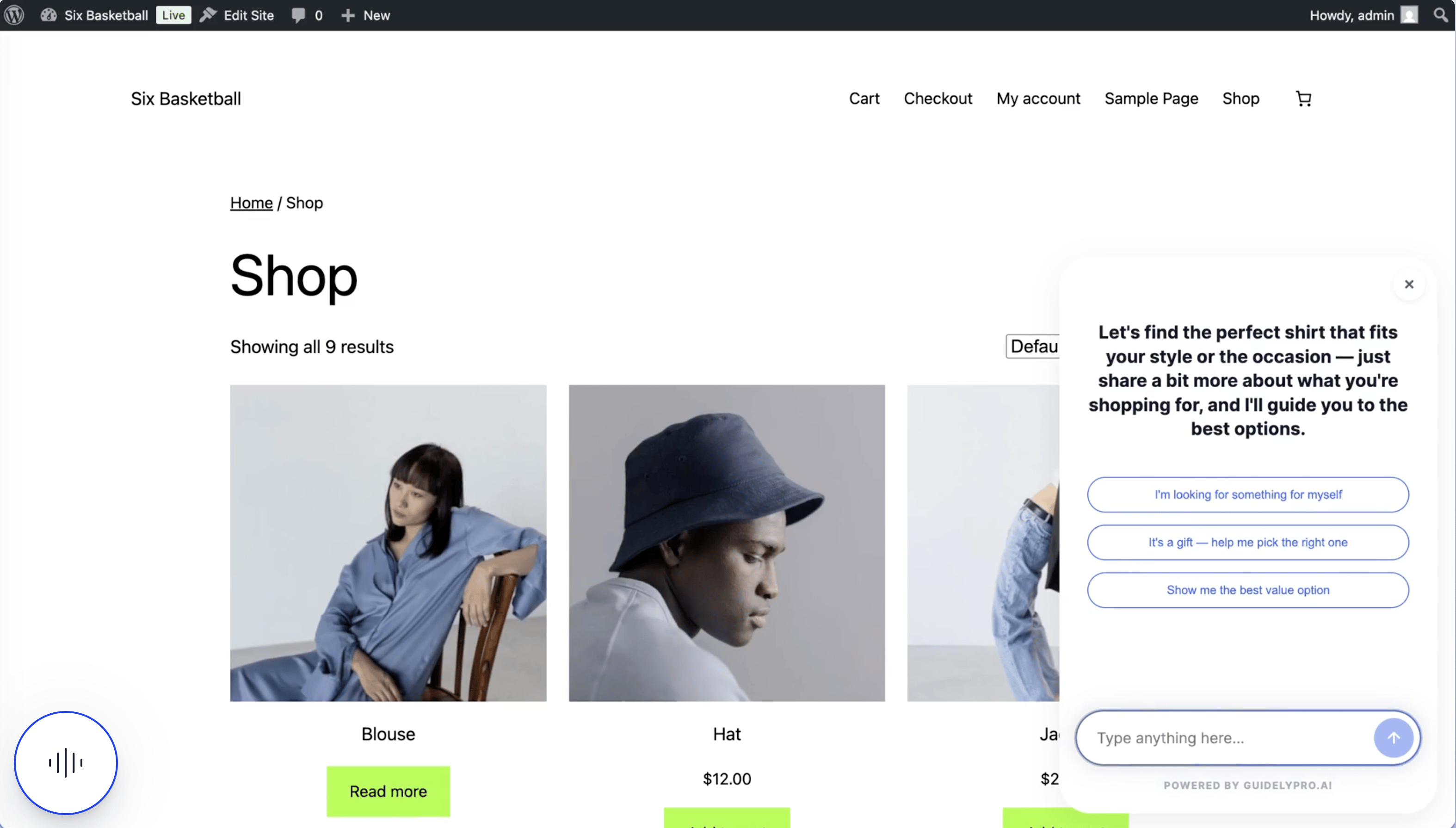
Integrate your WooCommerce store with GuidelyPro.AI — connect your catalog, publish a guided experience, and activate it on your storefront with a lightweight WordPress plugin.
Before you start — you need a GuidelyPro.AI account, admin access to your WordPress store, and your WordPress/WooCommerce store URL. That’s it.
Part 1 — Connect your WooCommerce store
1
Add an integration
In the Data Hub, select Add integration to start linking your WooCommerce store.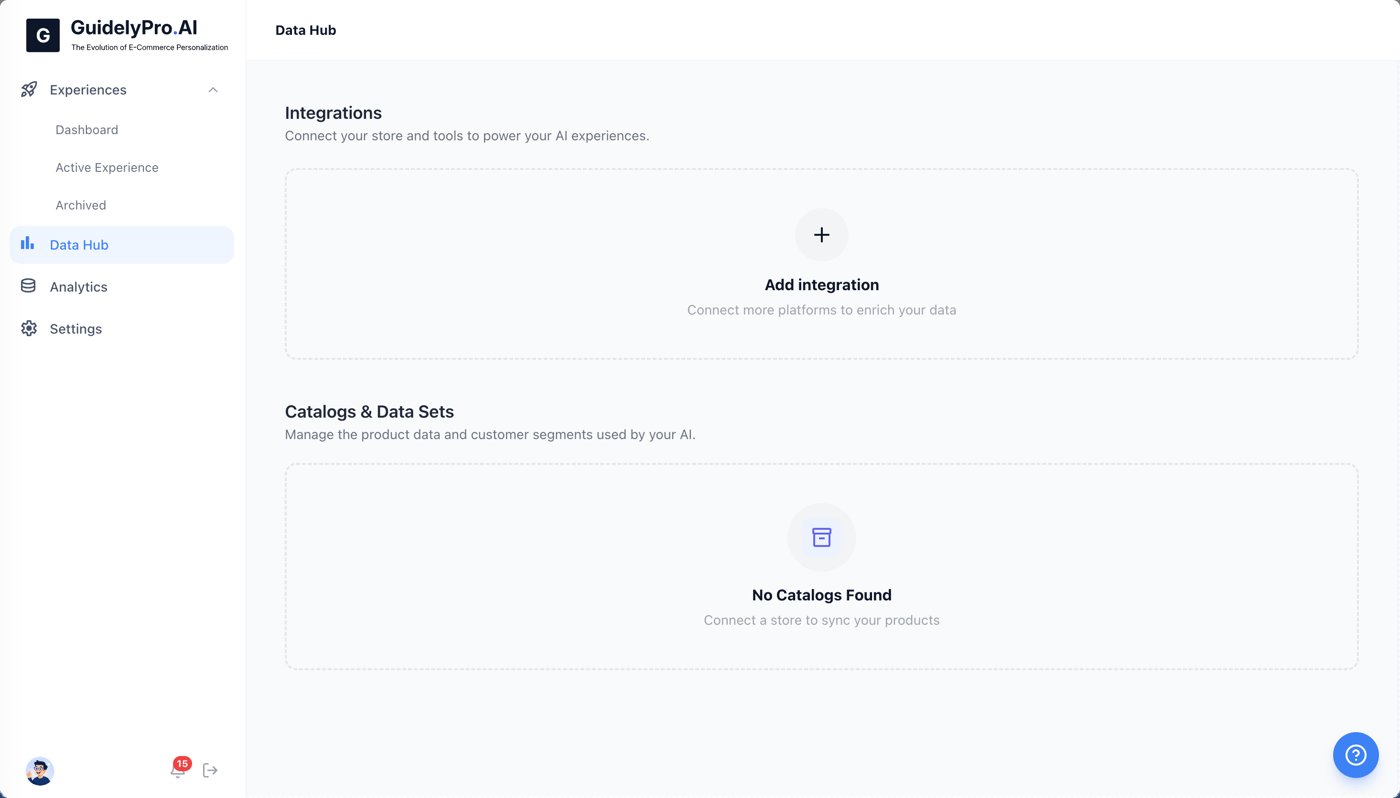
2
Choose WooCommerce
Choose WooCommerce from the list of available integrations.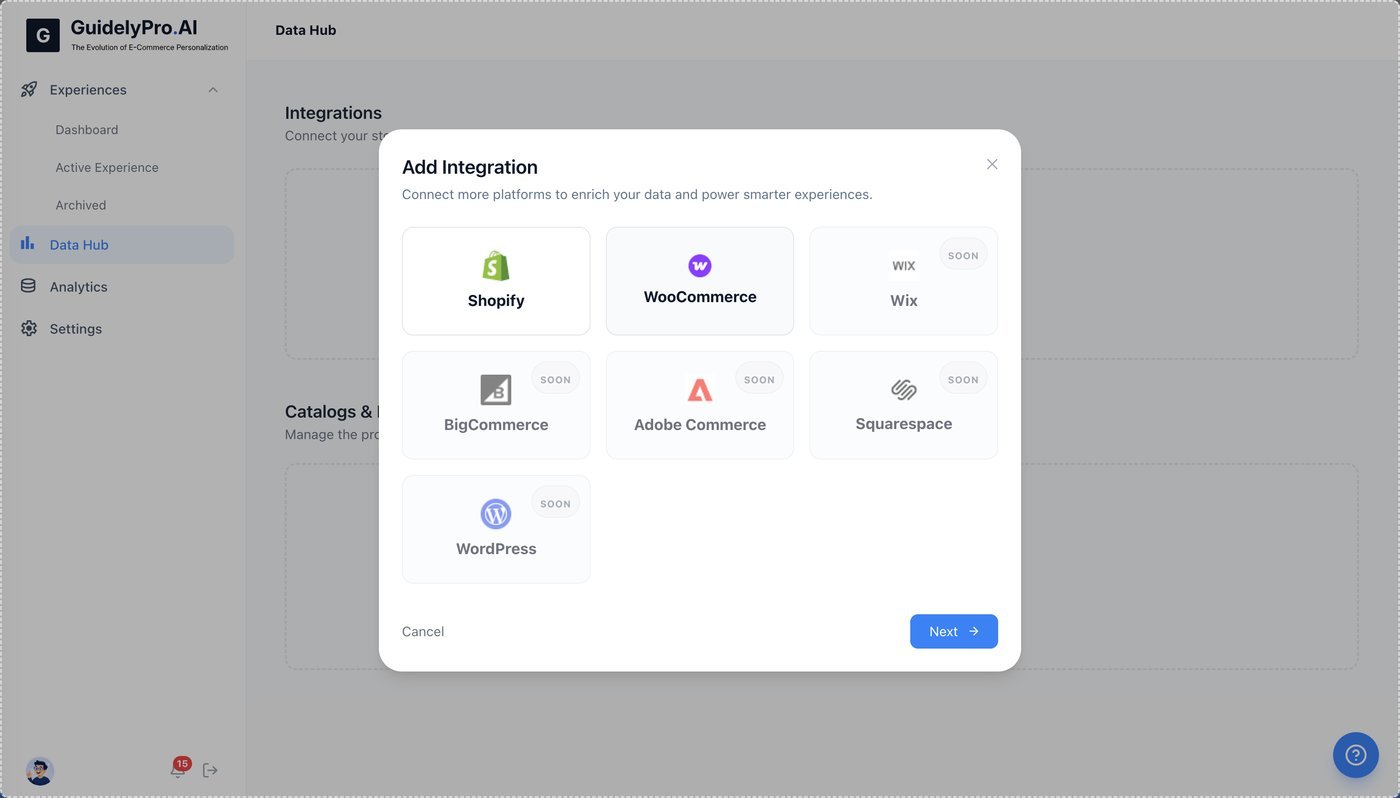
3
Continue
Click Next to proceed.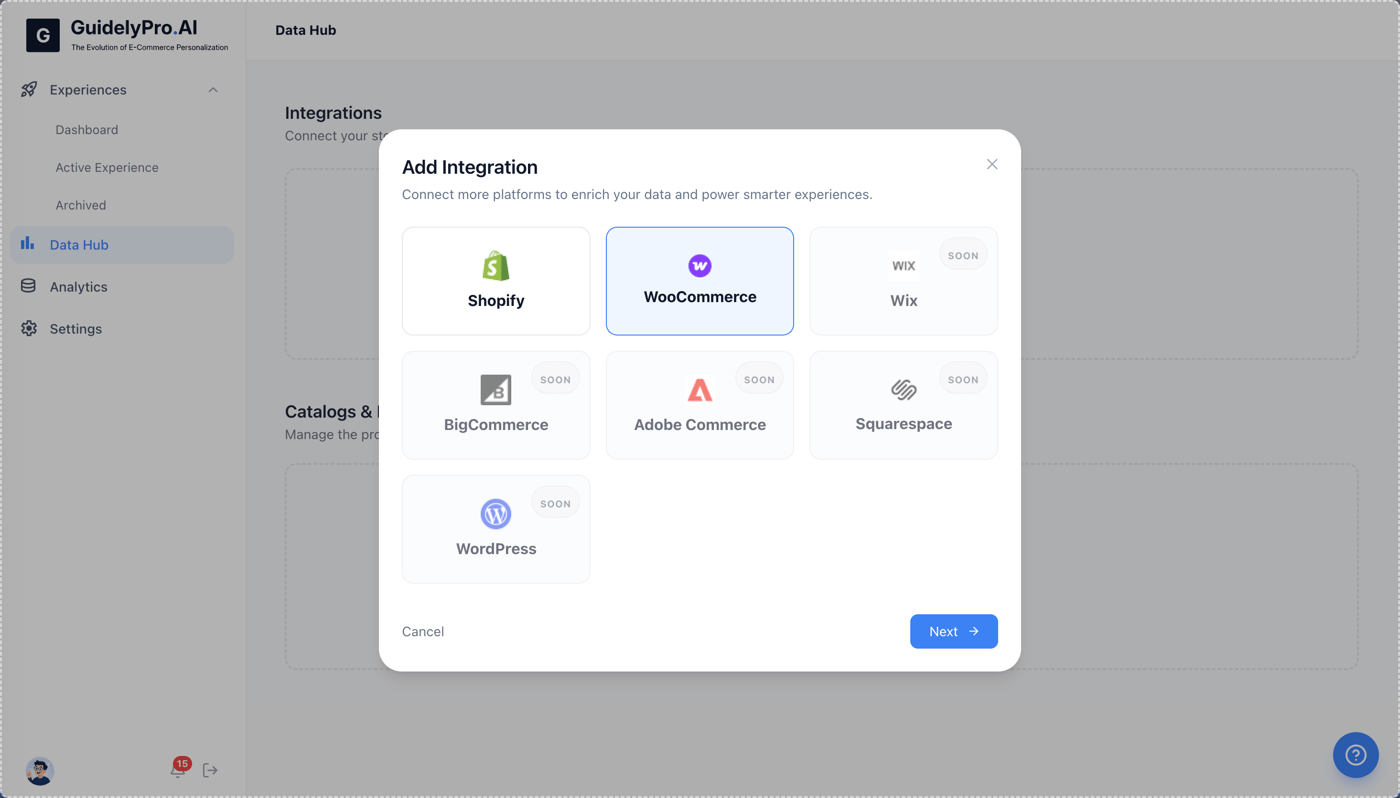
4
Enter your store URL
Enter your WooCommerce store URL to begin the connection process.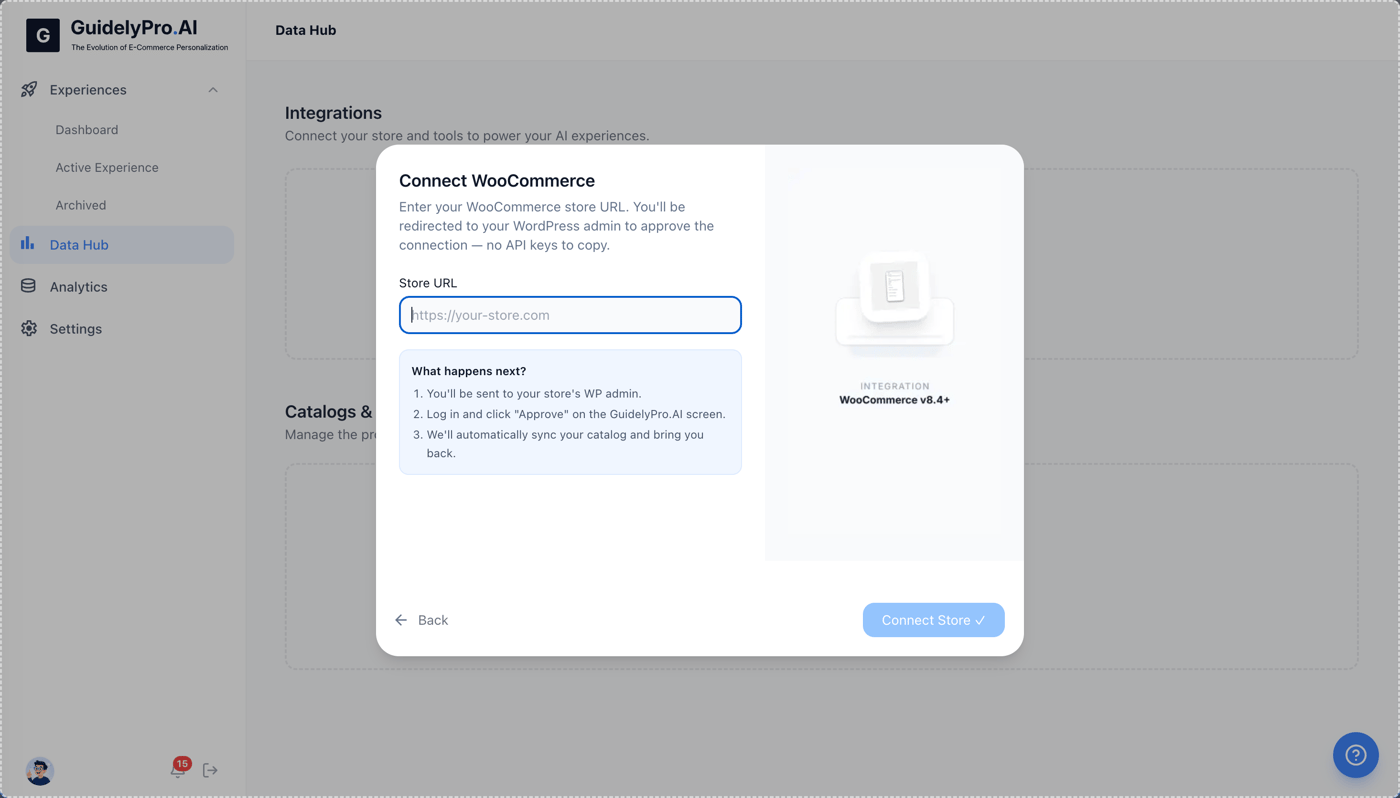
5
Connect the store
Click Connect Store to initiate linking your WooCommerce shop.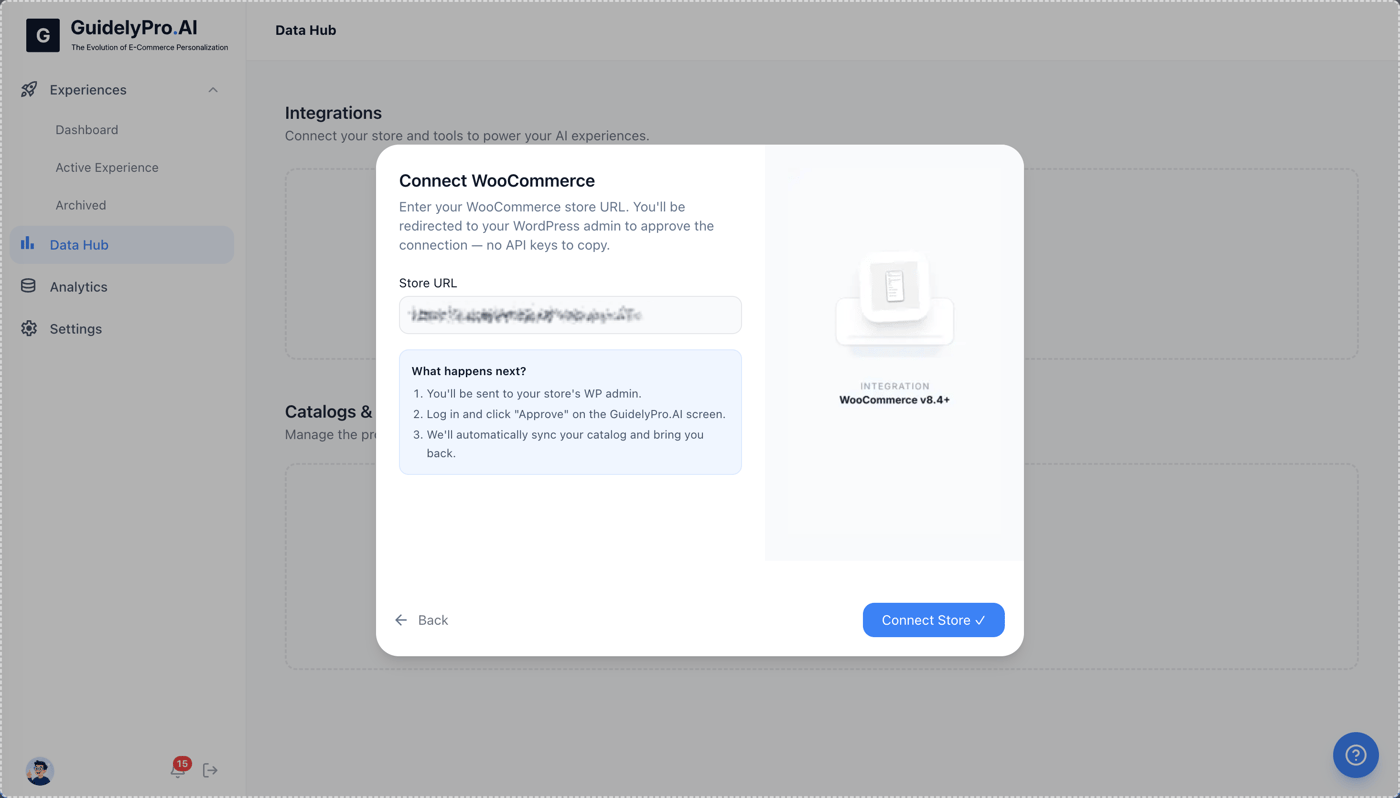
6
Approve permissions
Approve the permissions request to allow GuidelyPro.AI access to your WooCommerce store data.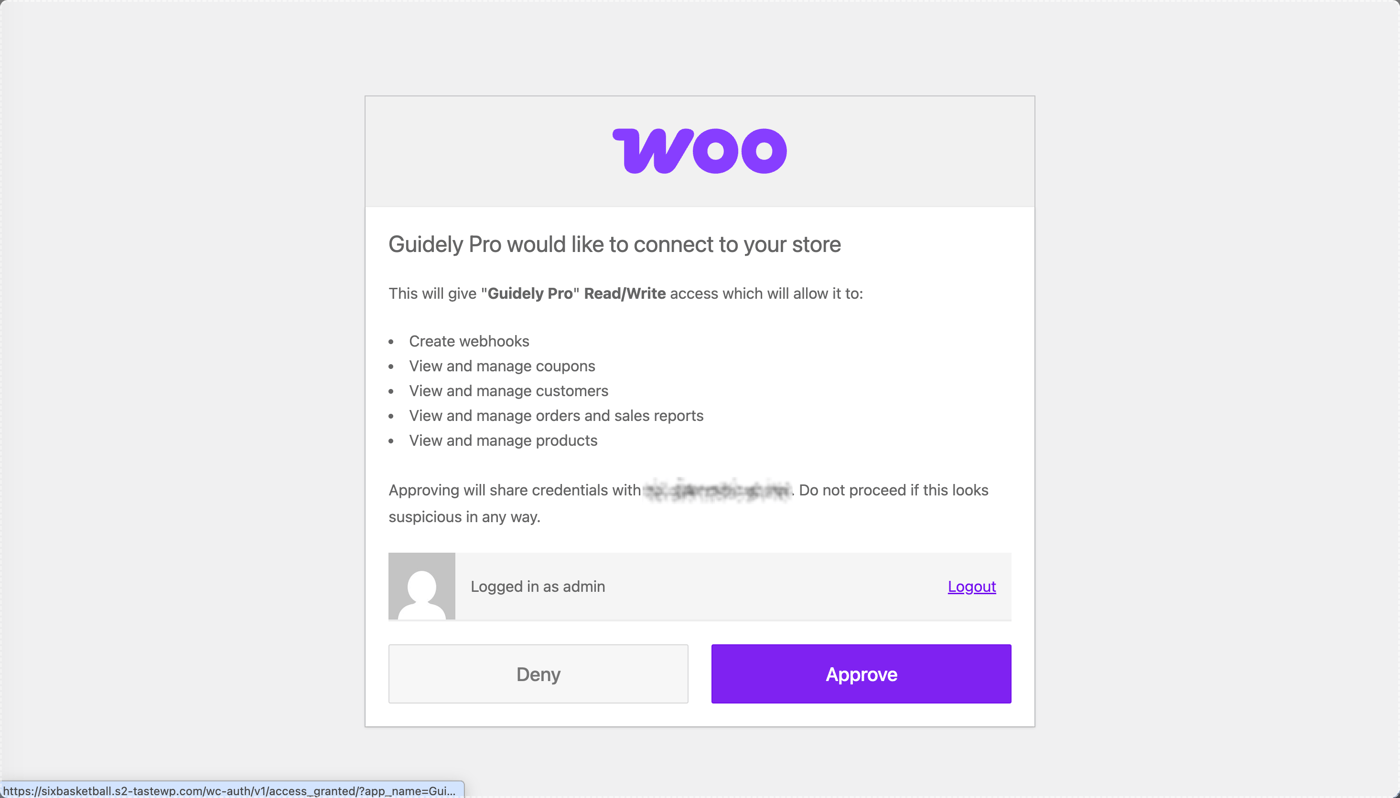
Part 2 — Create and publish an experience
1
Choose an experience
To enable an experience, click Choose experience.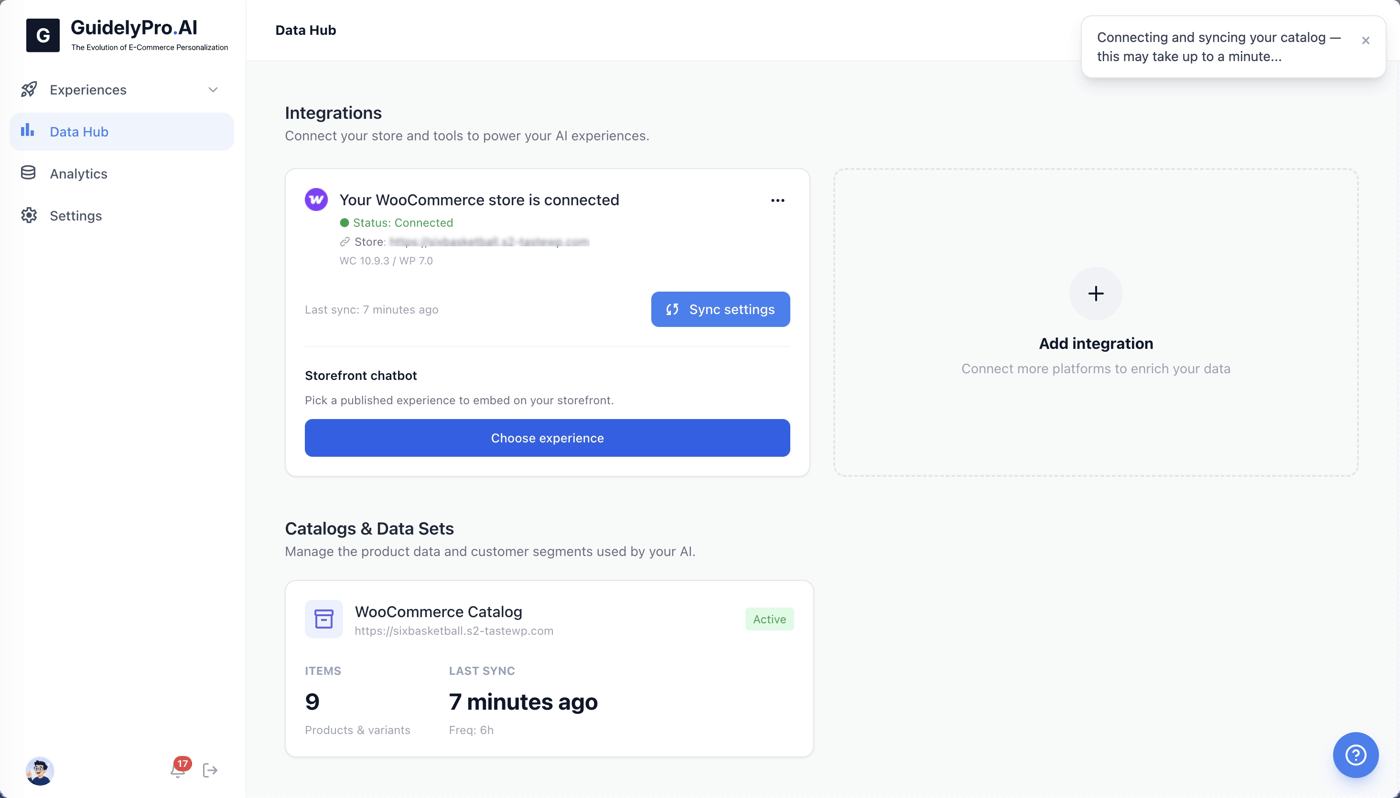
2
No experience yet? Close the popup
Close this popup if you don’t have an active experience to assign yet — you’ll create one now.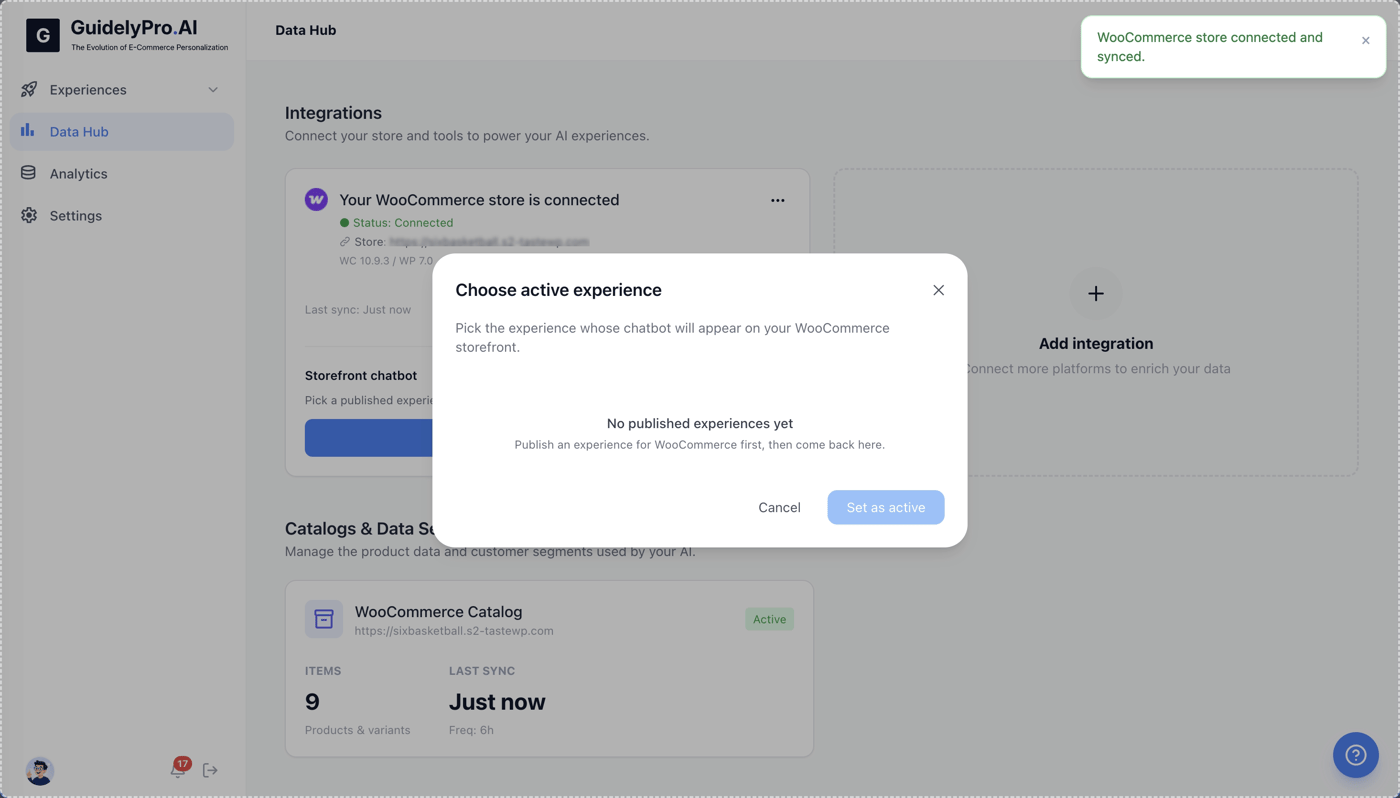
3
Start from a template
Use a pre-built template like Capture lead to quickly set up a new experience.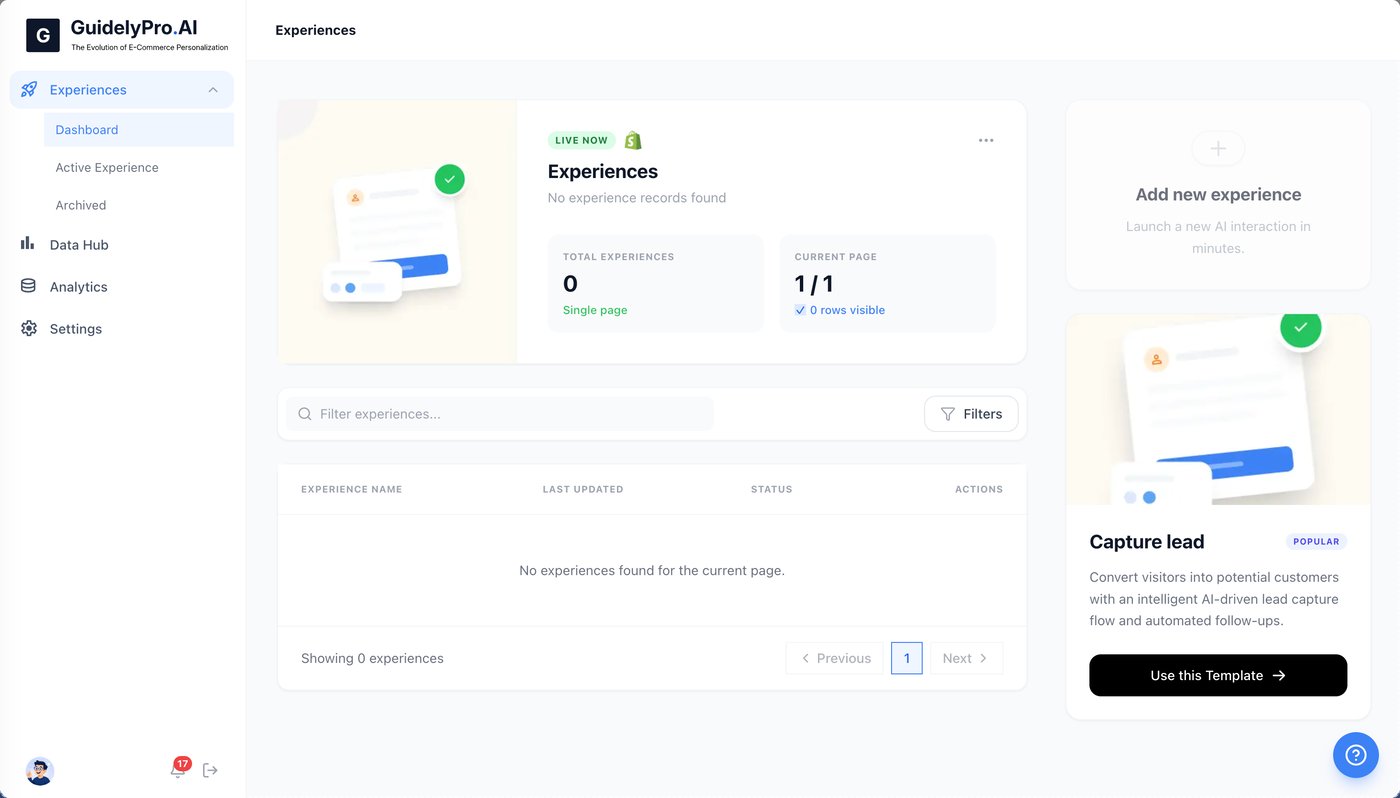
4
Create the experience
Click Create experience to save and finalize your new experience.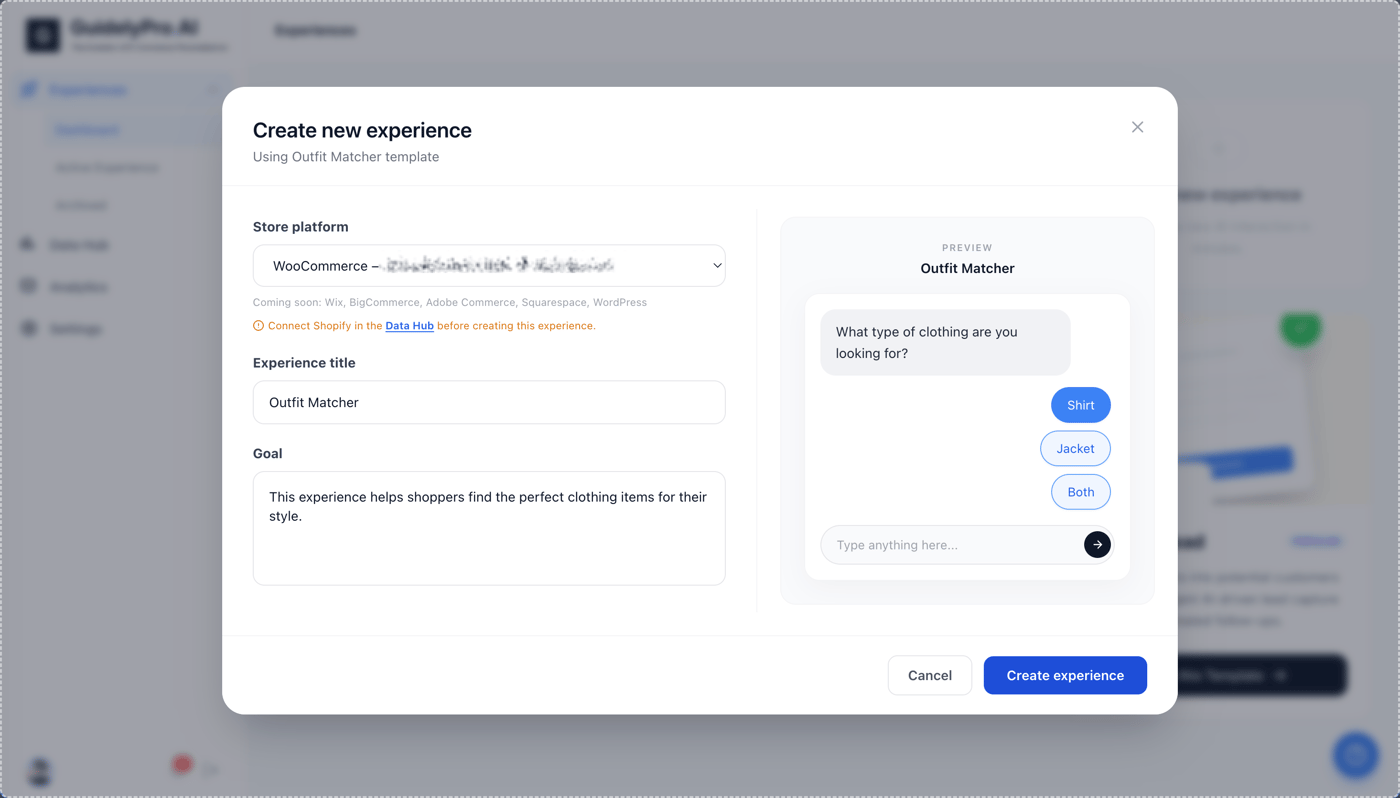
5
Publish
Publish the experience to make it live on your storefront.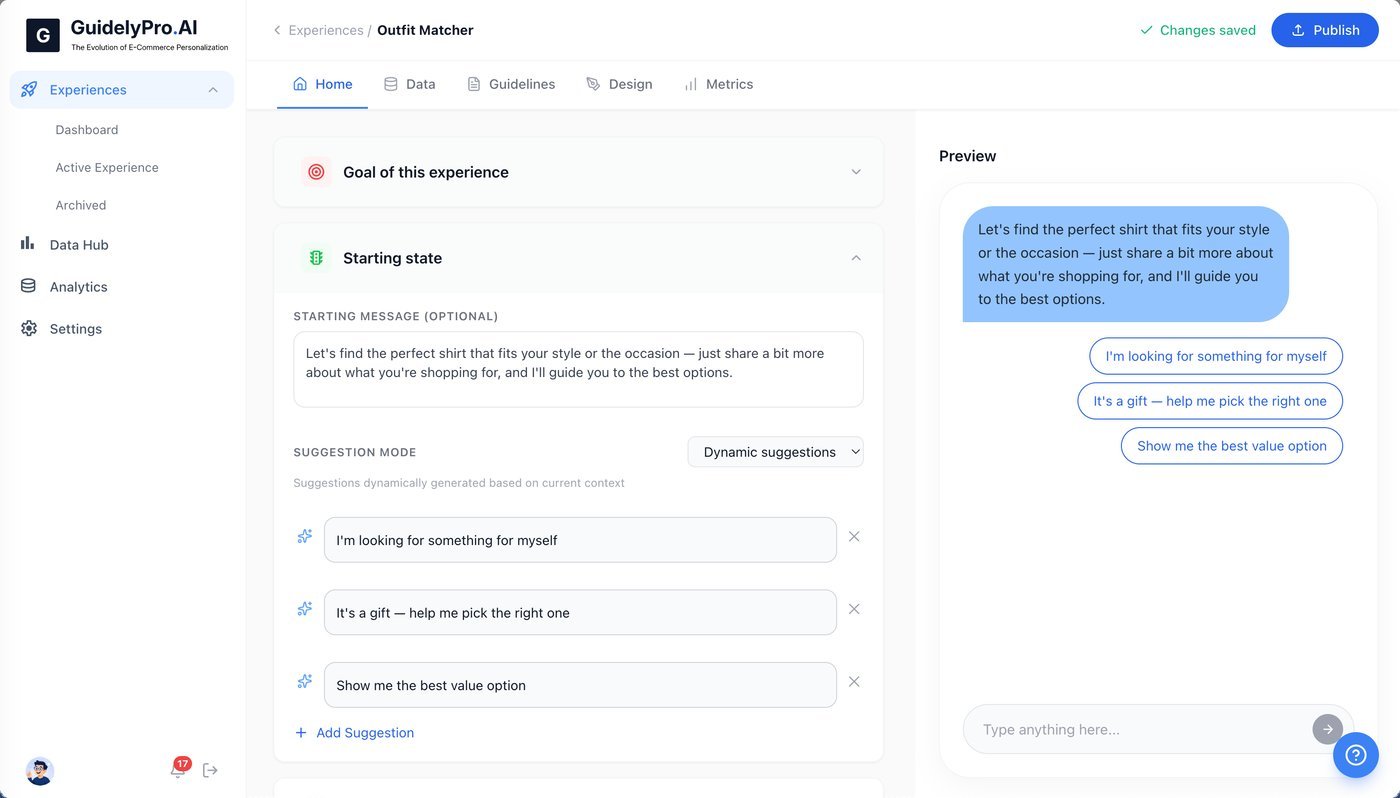
6
Dismiss the modal
Dismiss the modal once you’ve published.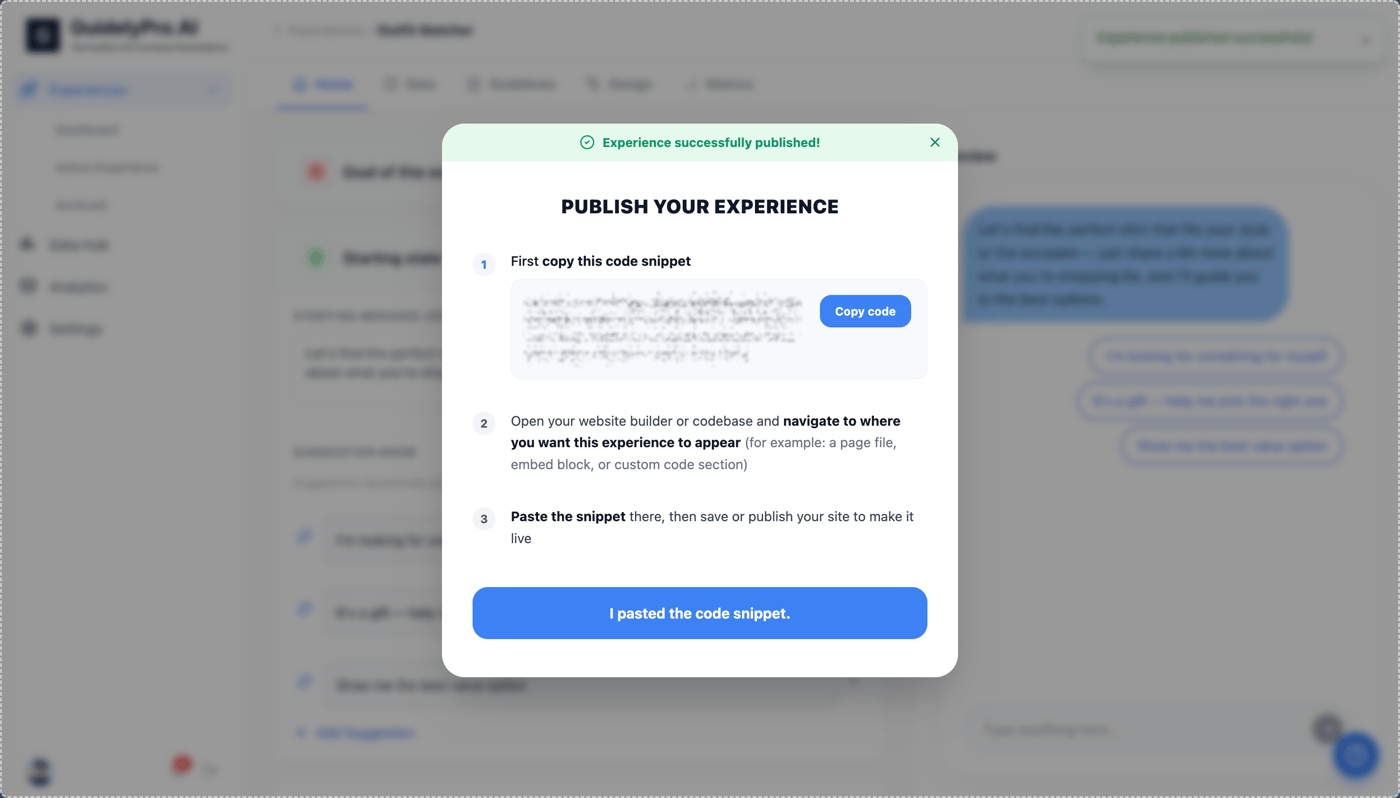
Part 3 — Assign the experience to your store
1
Return to the Data Hub
Return to the Data Hub to continue managing integrations.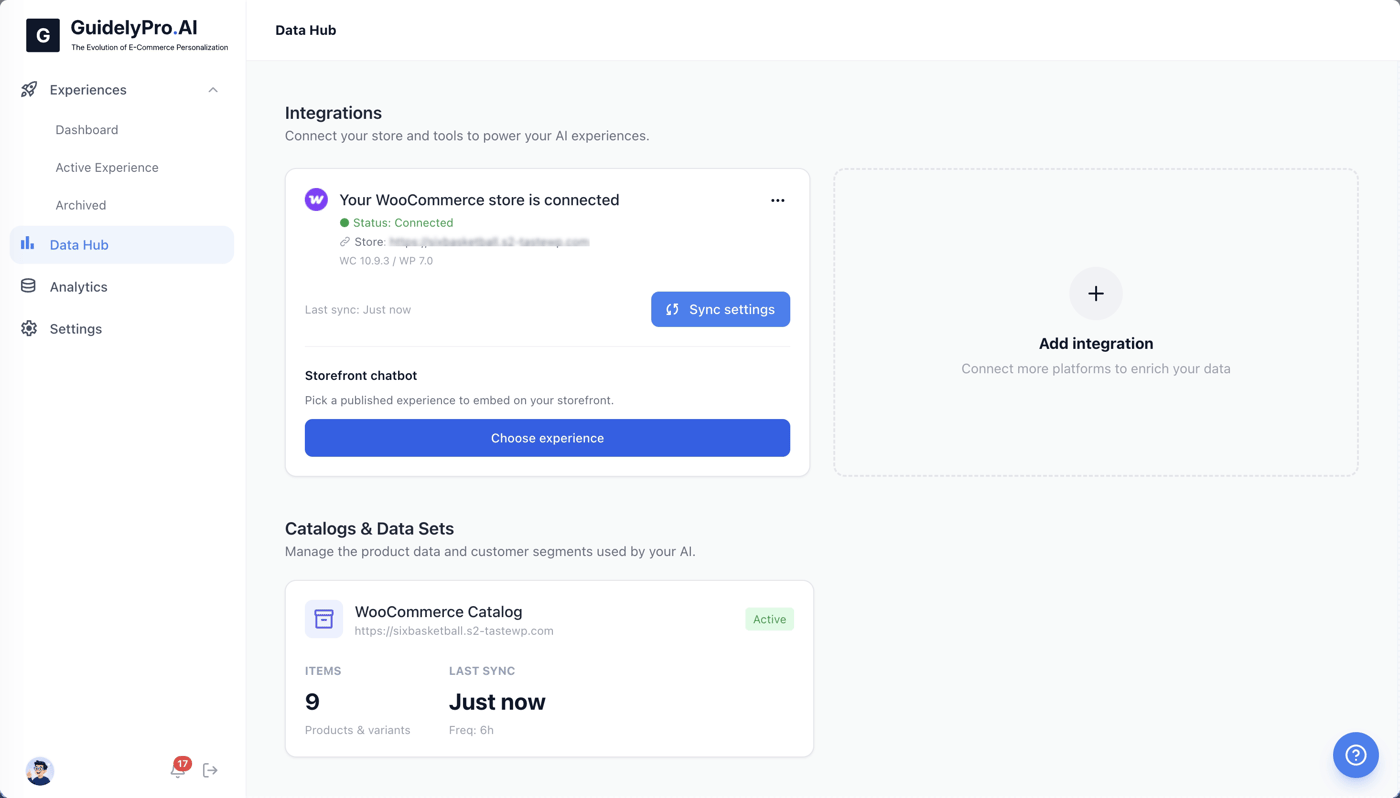
2
Choose the experience
Click Choose experience below your connected WooCommerce store to assign a published experience.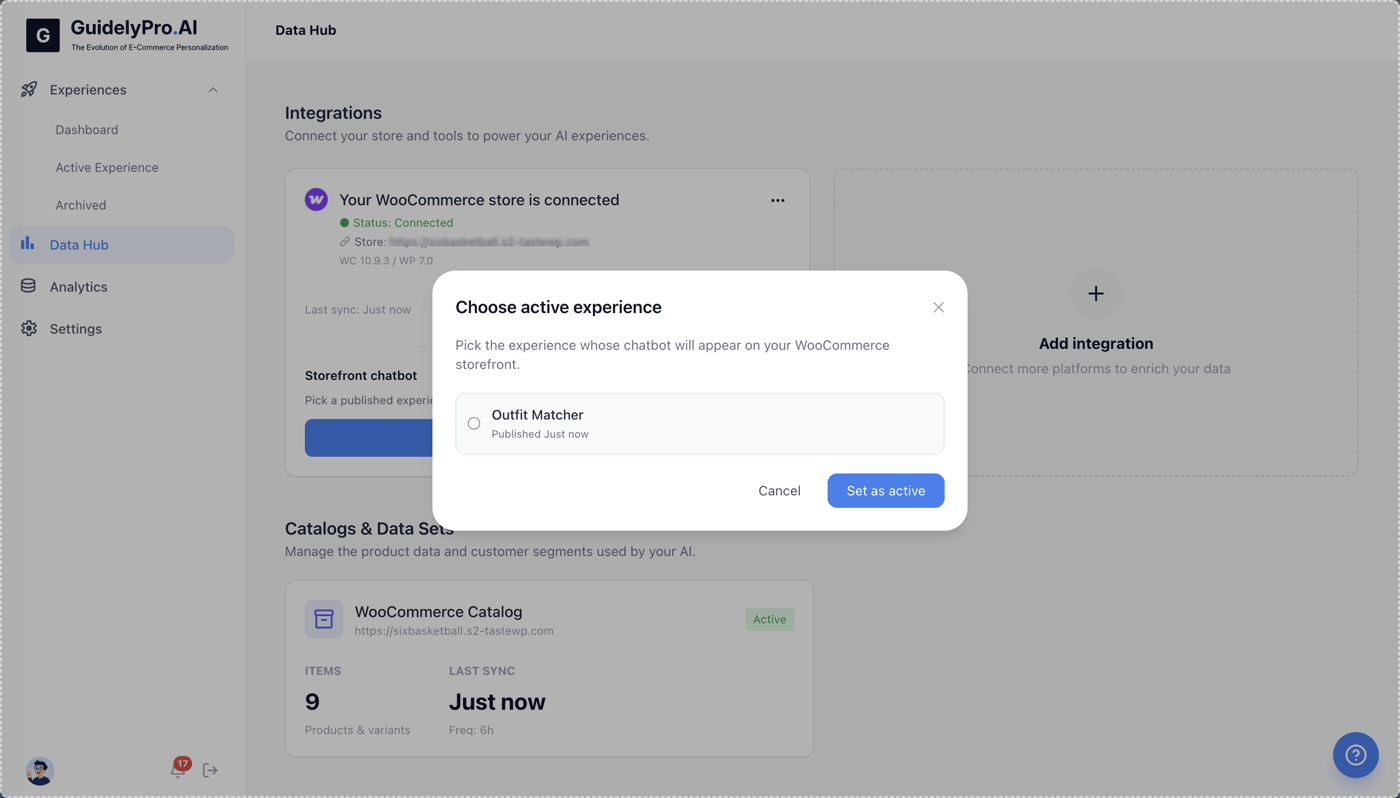
3
Select the experience
Select the experience you want to run on your storefront — here, the Outfit Matcher.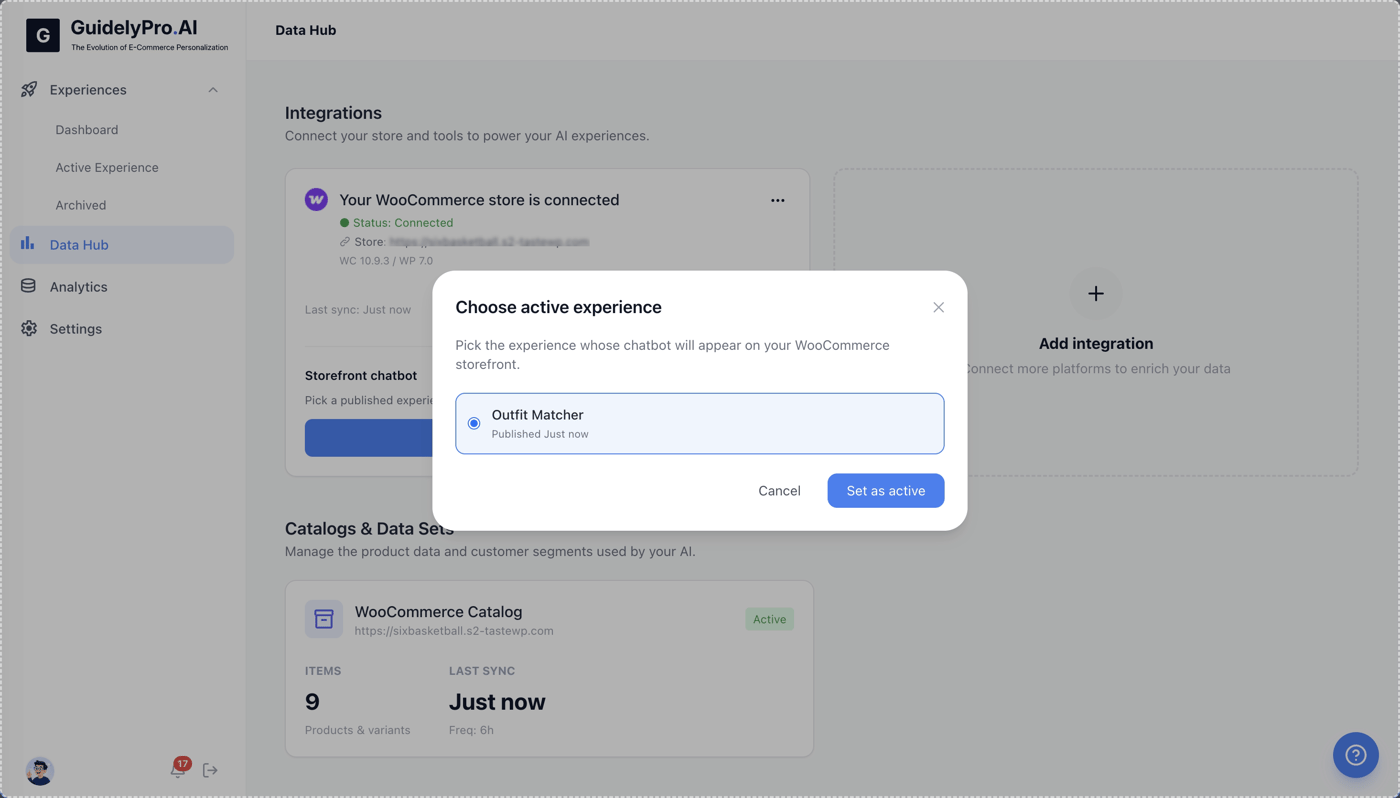
4
Set as active
Click Set as active to confirm this experience for your WooCommerce store.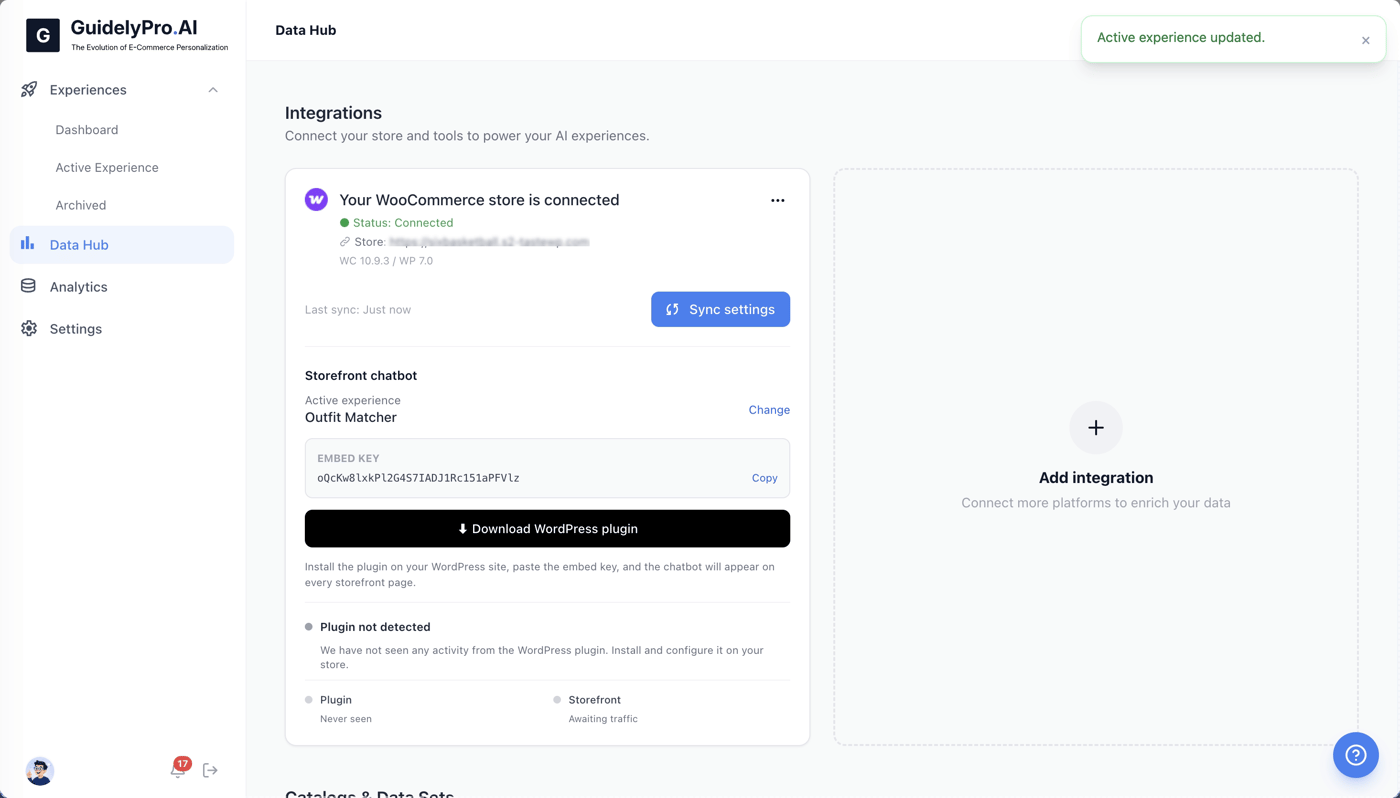
Part 4 — Install the WordPress plugin
1
Download the plugin
Download the WordPress plugin to enable your conversion engine experience on your storefront.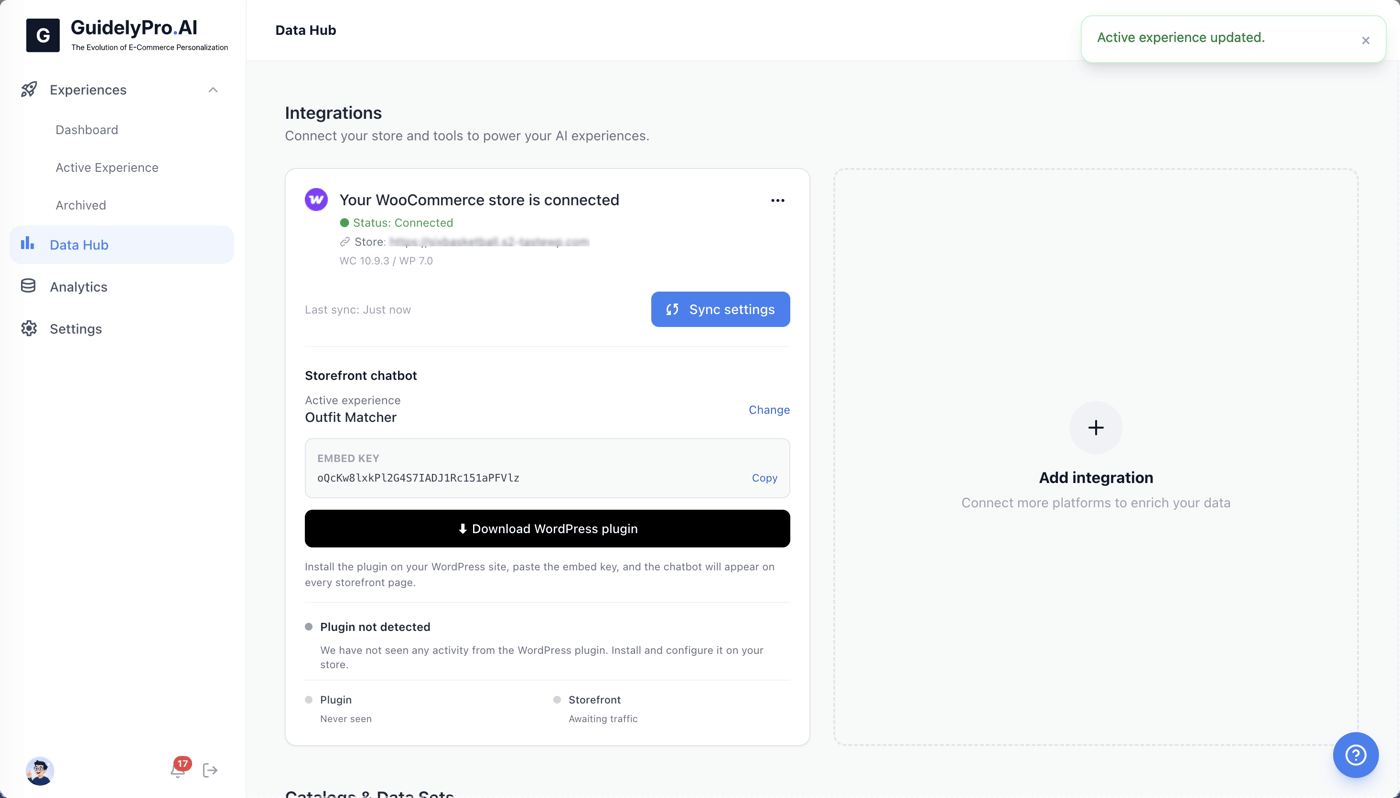
2
Open Plugins in WordPress
Open the Plugins section in WordPress to manage existing plugins.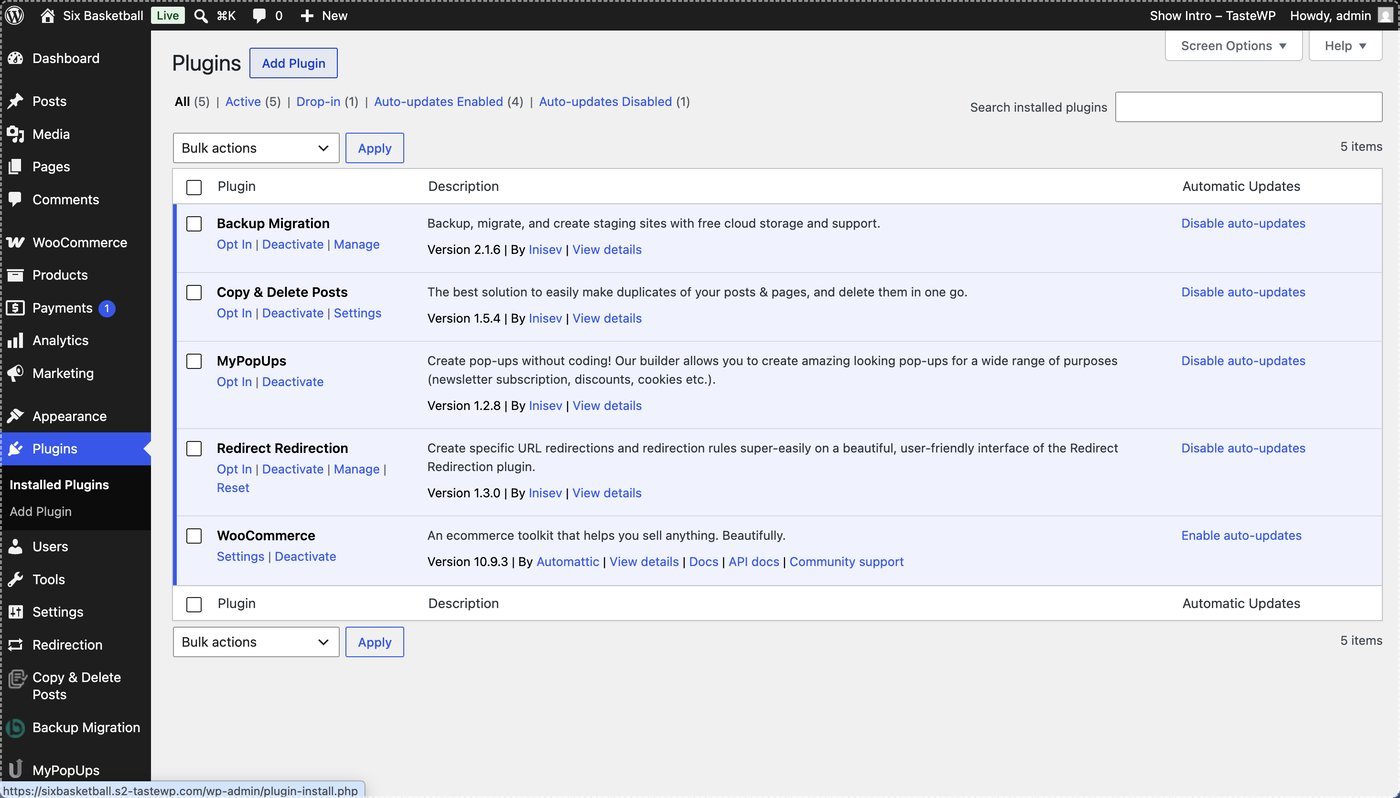
3
Add a plugin
Click Add Plugin to upload a new plugin for your site.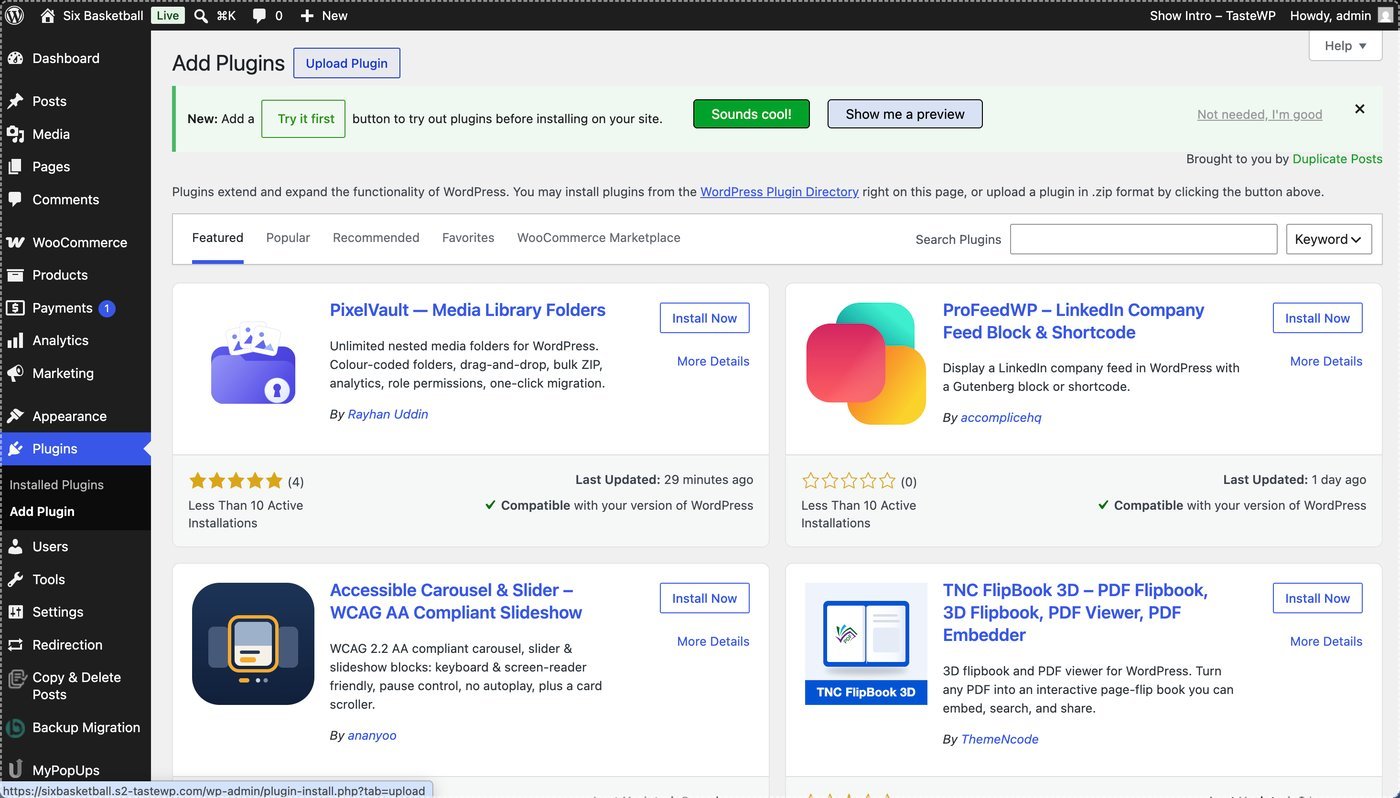
4
Upload the plugin
Select Upload Plugin to add the plugin you just downloaded from GuidelyPro.AI.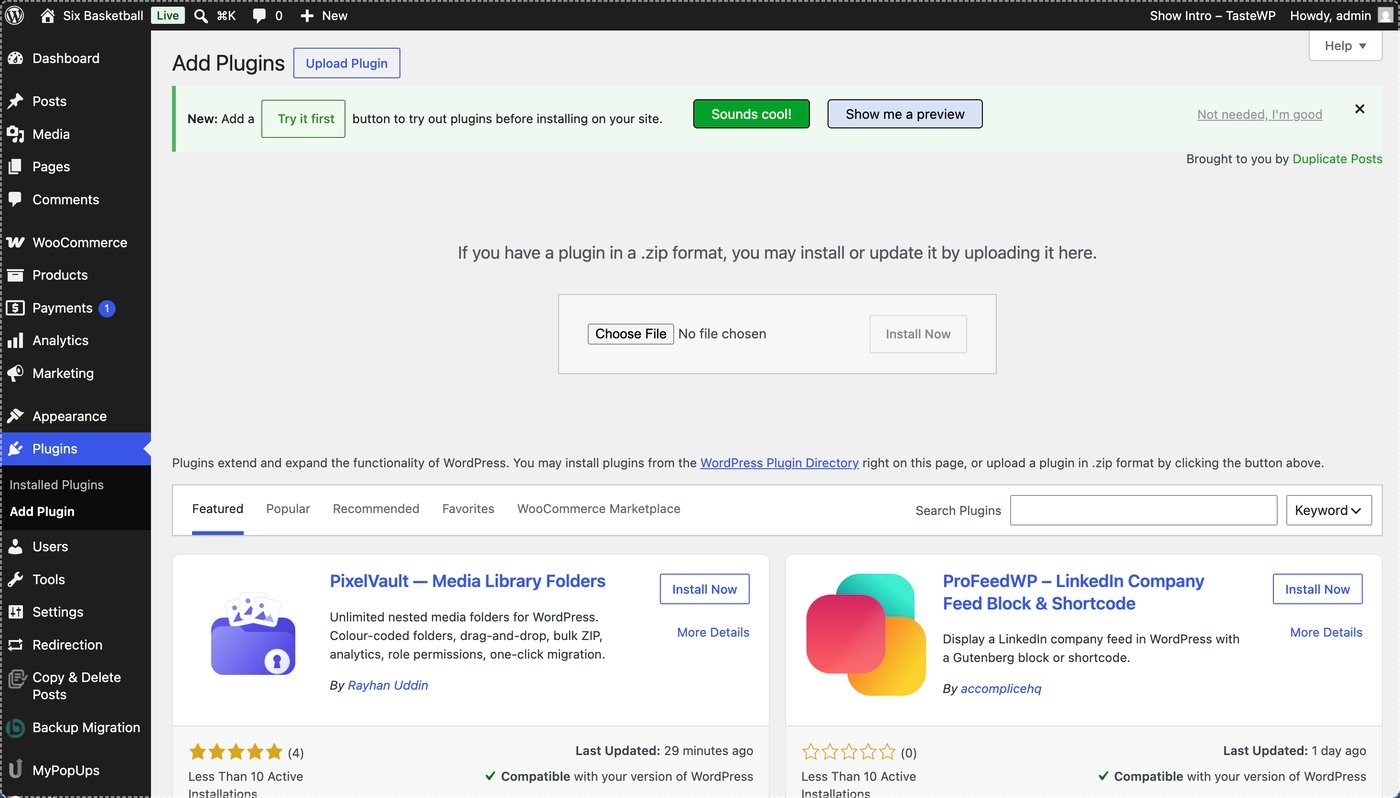
5
Choose the ZIP file
Click Choose File and select the plugin ZIP file from your computer.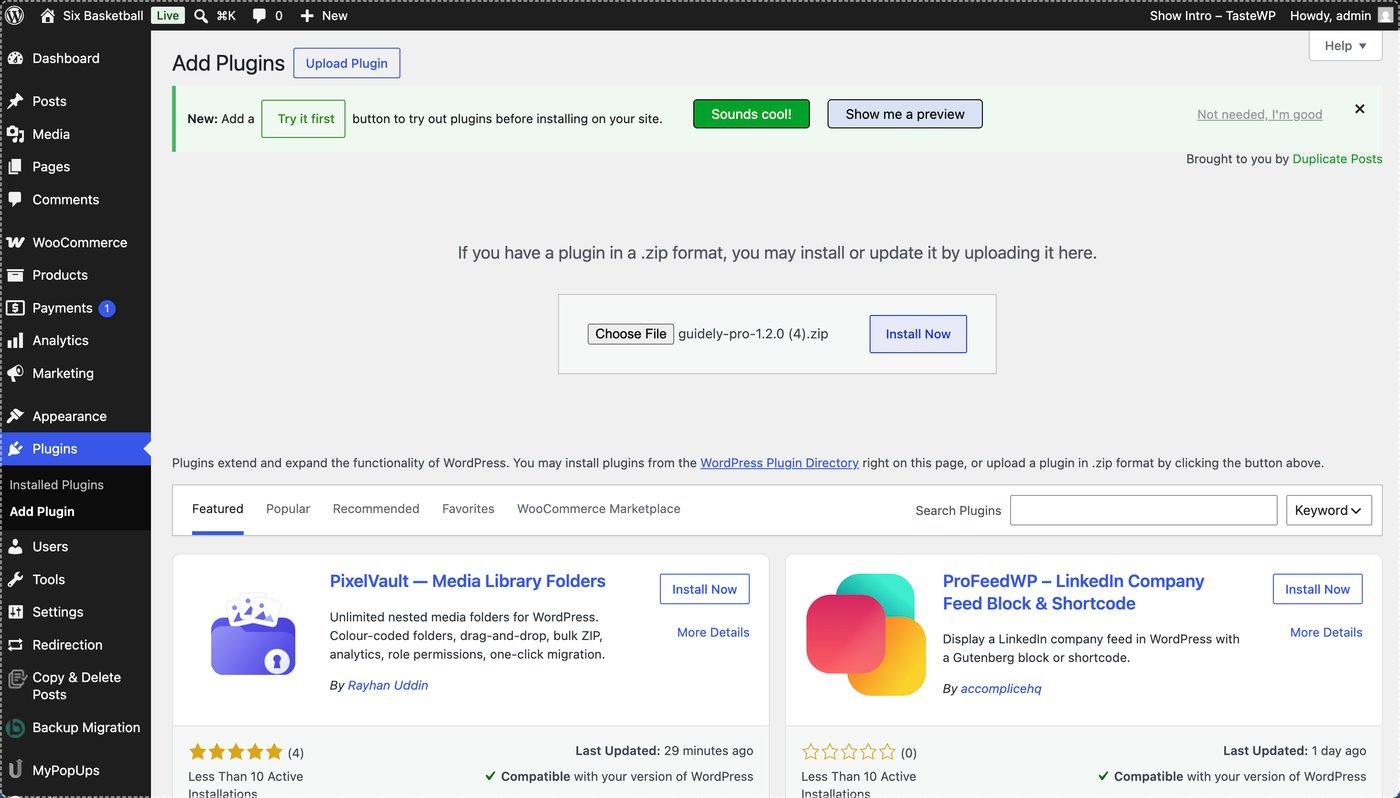
6
Install
Click Install Now to upload and install the GuidelyPro.AI plugin to your WordPress setup.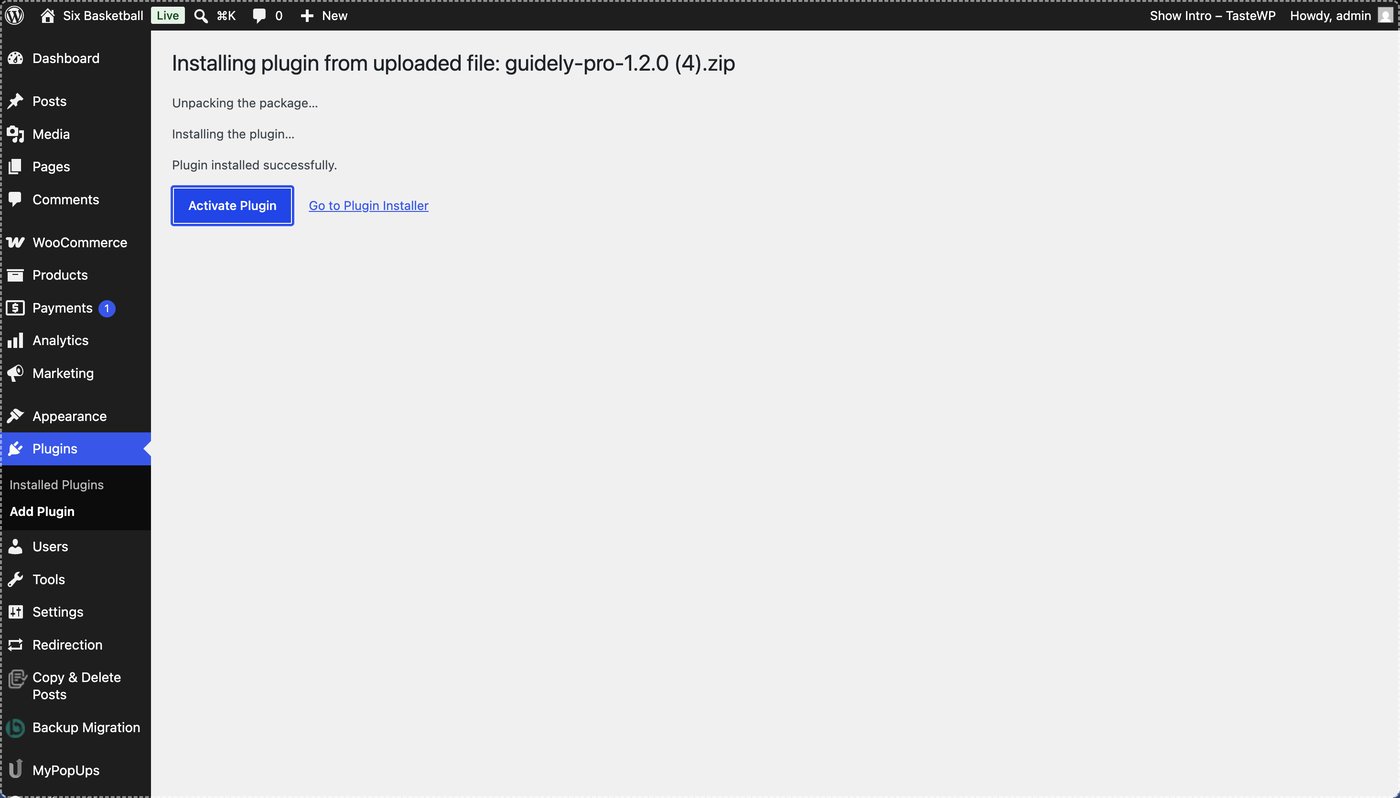
7
Activate
Activate the plugin to enable GuidelyPro.AI features on your WordPress site.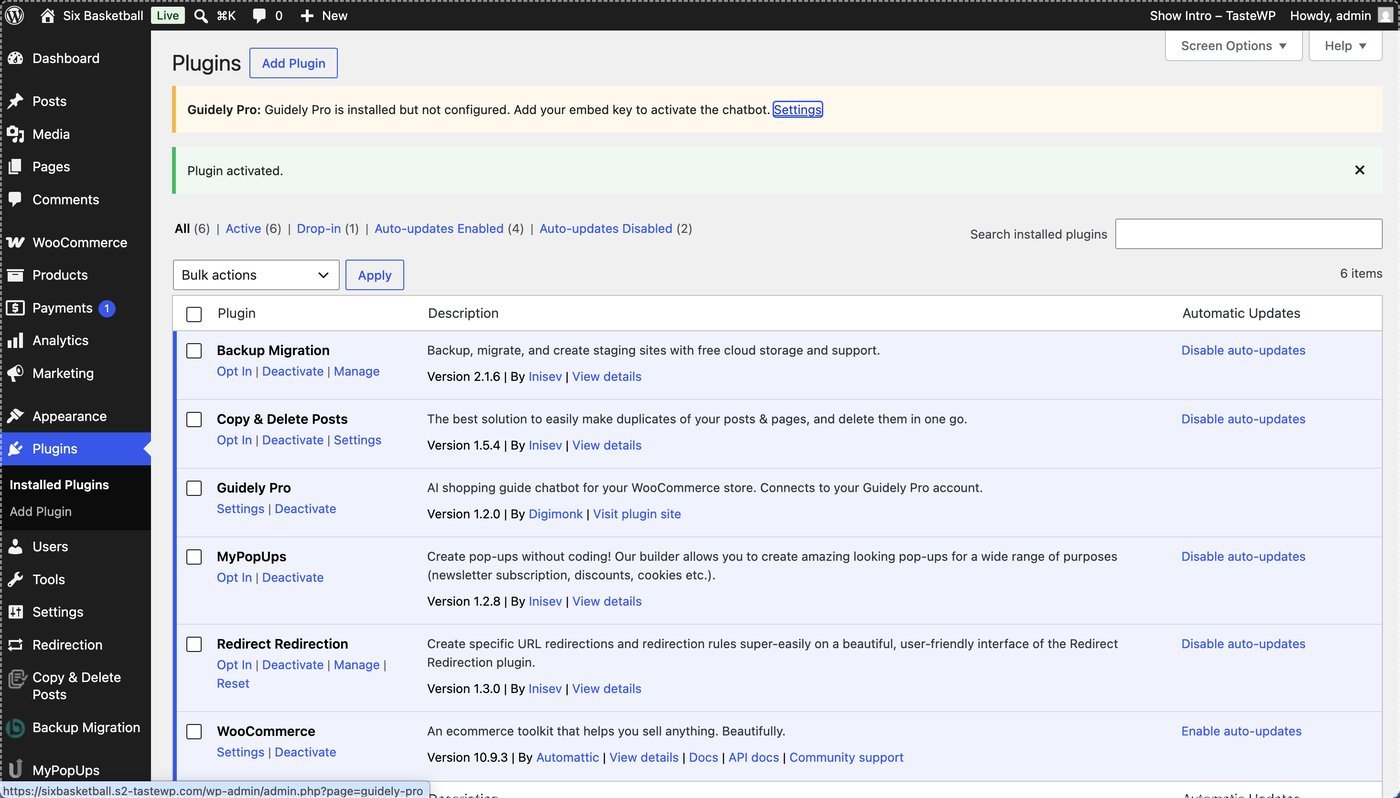
Part 5 — Activate and verify the chatbot
1
Open the plugin settings
Open the settings for the GuidelyPro.AI plugin to begin configuration and activation.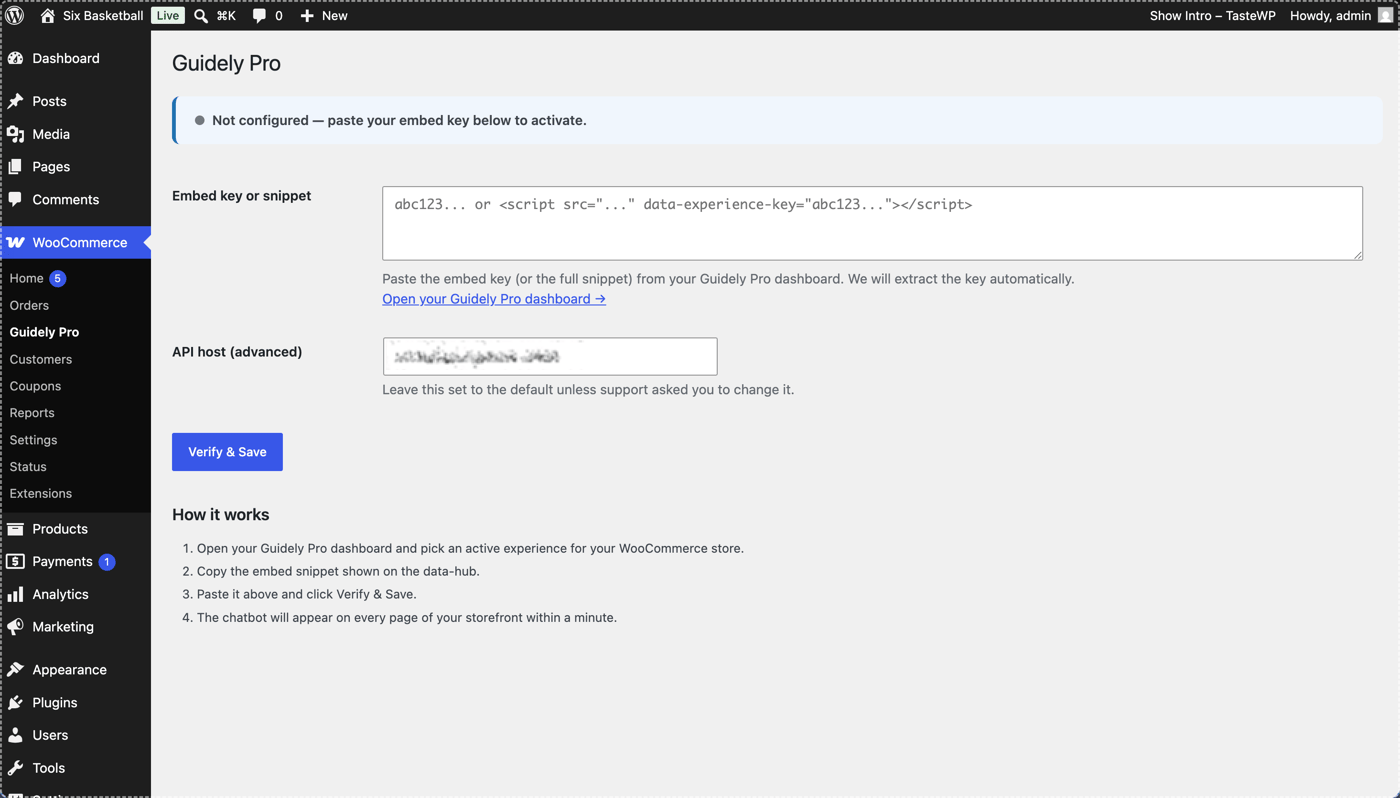
2
Go to the integration settings
Go to WooCommerce in your WordPress menu to access the GuidelyPro.AI integration settings.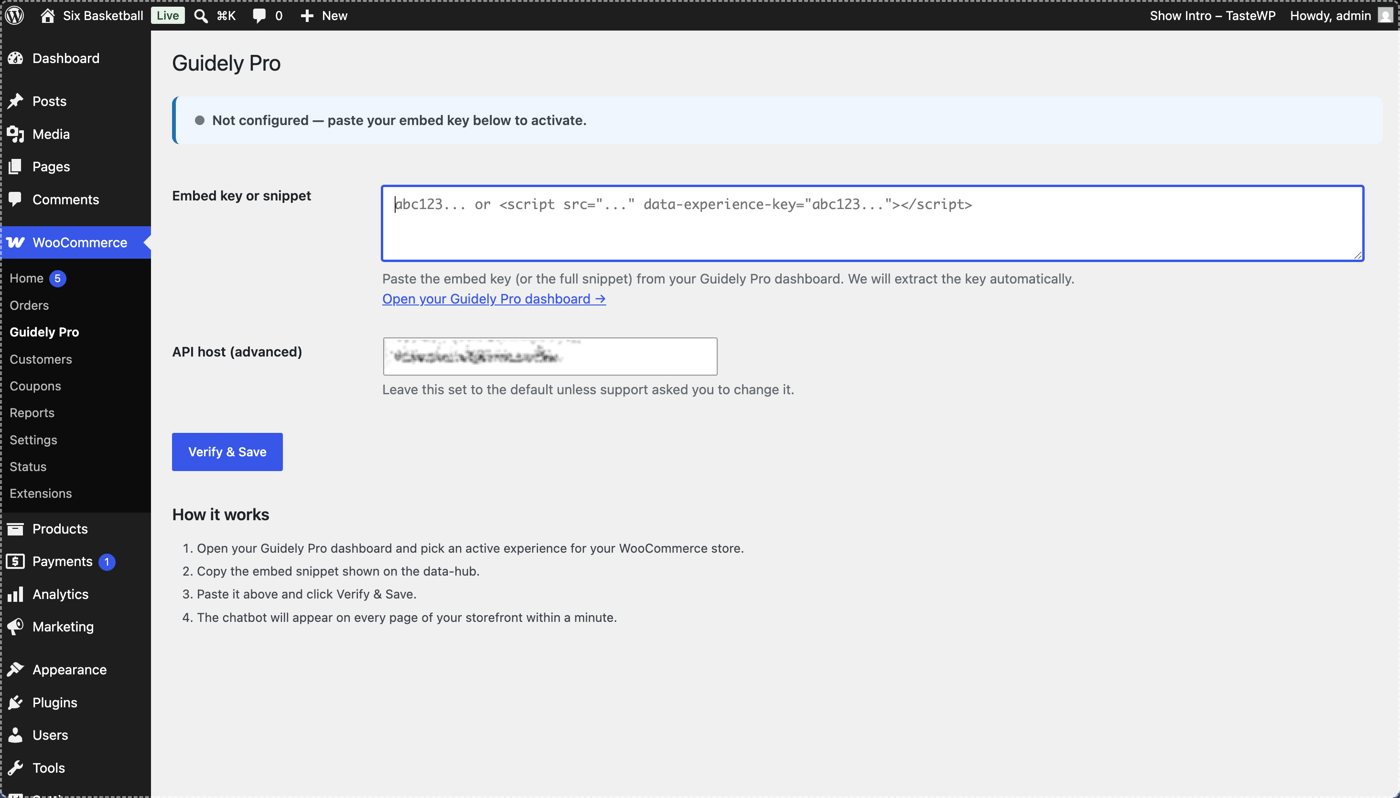
3
Copy your embed key
Copy your embed key — it activates the conversion engine plugin on your web store.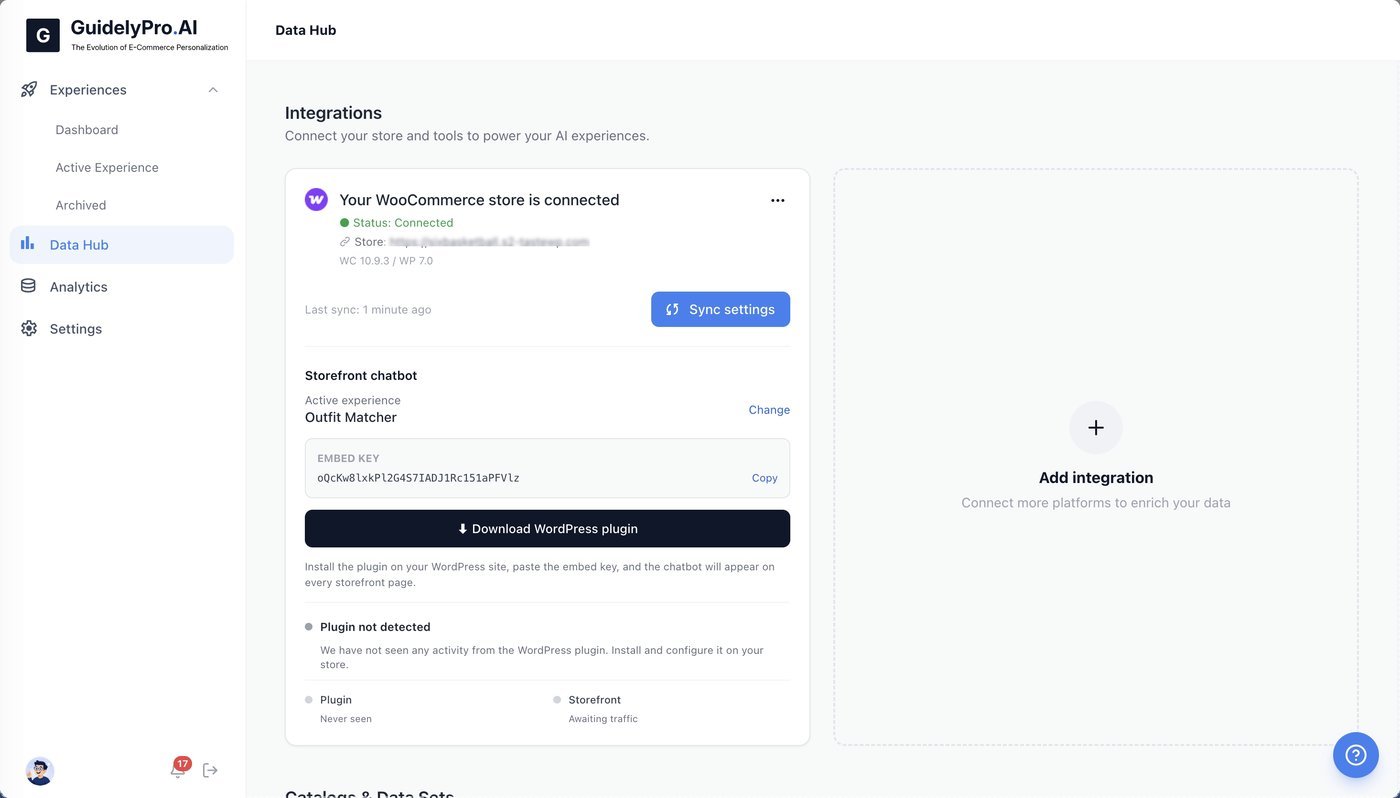
4
Paste the embed key
Paste the embed key into the designated field to connect GuidelyPro.AI.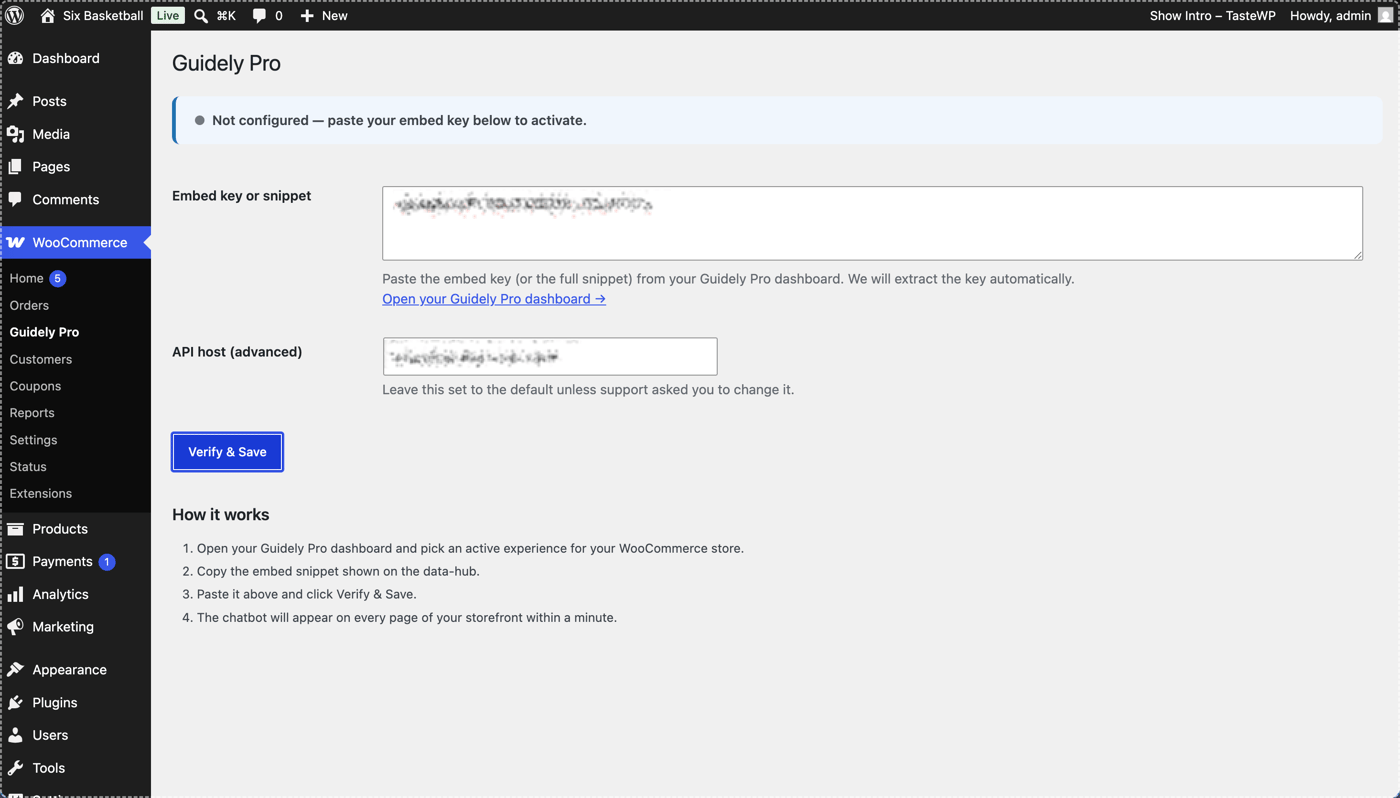
5
Verify and save
Click Verify & Save to activate the plugin integration with your WooCommerce site.
6
Sync settings
Use Sync settings to update or verify your store connection and make sure your chatbot is working.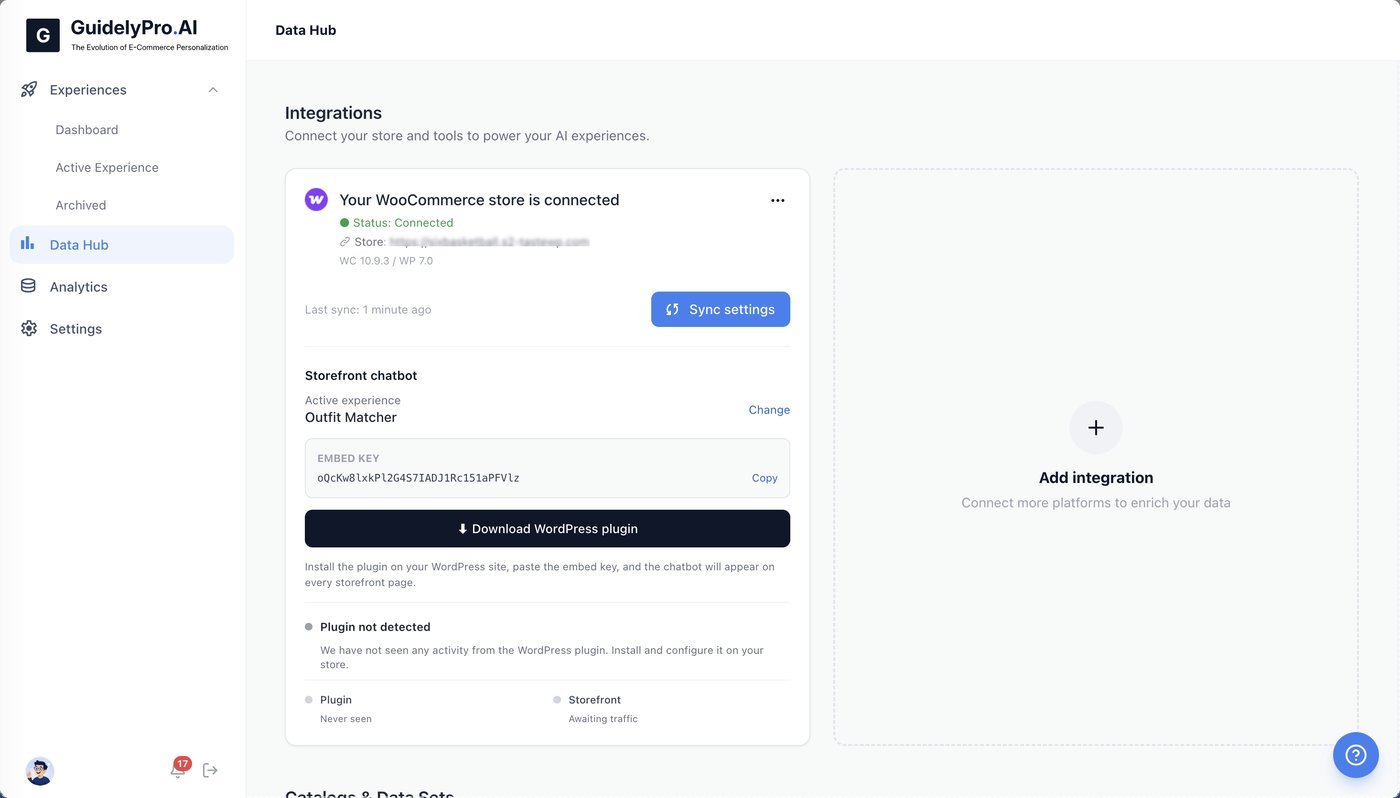
7
Check the Data Hub
Return to the Data Hub to view all active integrations and manage store connections.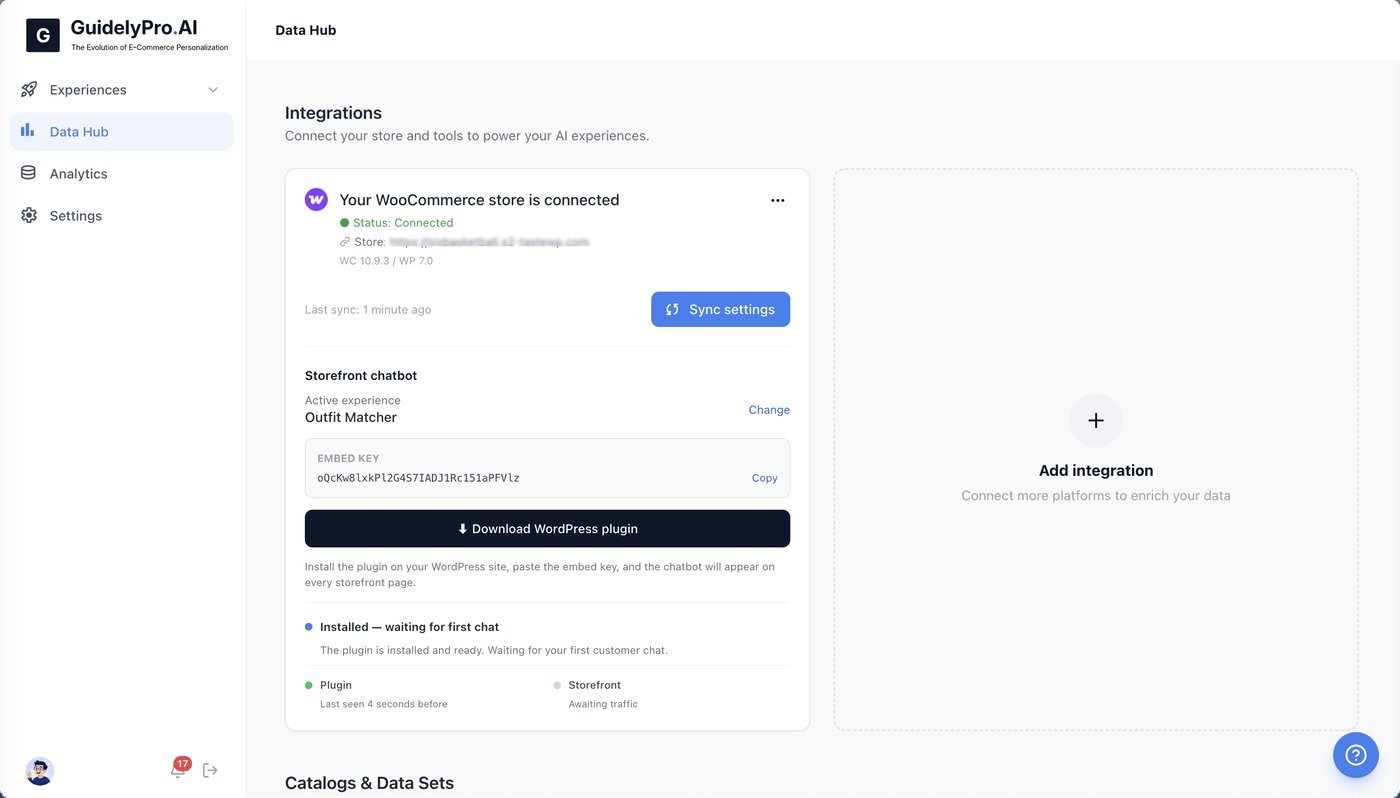
8
Test it on your storefront
Test the experience on your storefront.