> ## Documentation Index
> Fetch the complete documentation index at: https://docs.guidelypro.ai/llms.txt
> Use this file to discover all available pages before exploring further.

# Connect Your GuidelyPro.AI

> Start building awesome a conversion engine for your e-commerce store in minutes.

## Connect your Shopify store and launch an AI-powered lead capture experience — from template to live on your storefront in minutes. No code, no theme changes.

***

<Info>
  **Before you start** — you need a GuidelyPro.AI account, admin access to your Shopify store, and your Shopify store URL. That's it.
</Info>

Prefer to watch? Click through the interactive walkthrough

<video controls className="w-full aspect-video rounded-xl" src="https://guidelypro.ai/videos/Mintlify/Install_GuidleyProAI_from_the_GuidleyProAI_1080p_v1.0.mp4" />

## Part 1 — Start from the template

<Steps>
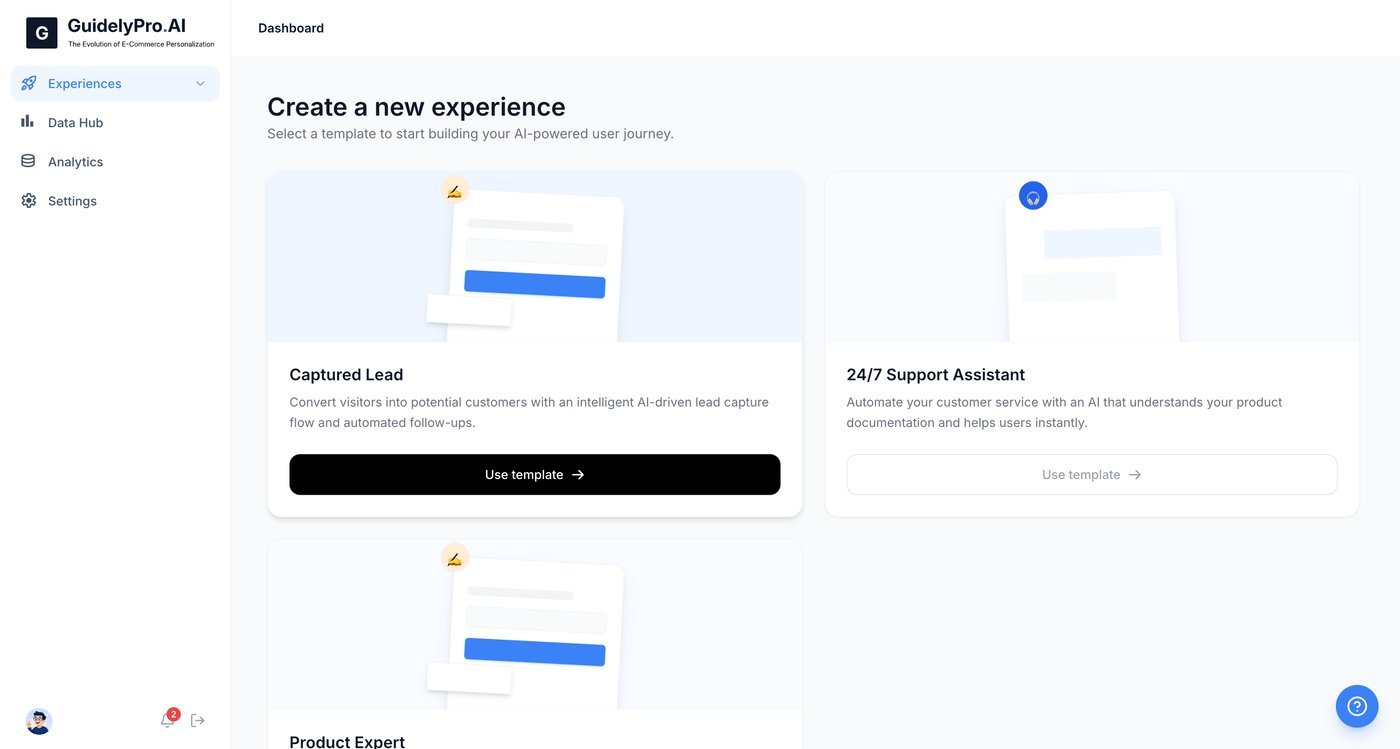
  <Step title="Use the template">
    Click **Use template** to start building a lead capture experience.
    <Frame>
      <img src="https://mintcdn.com/guidelypro/bSWjtrugjhzAHBZq/images/step-01-1.jpg?fit=max&auto=format&n=bSWjtrugjhzAHBZq&q=85&s=2573aee6e07032179f4b38f9ee3220ee" alt="Step 01 1" width="1400" height="749" data-path="images/step-01-1.jpg" />
    </Frame>
  </Step>

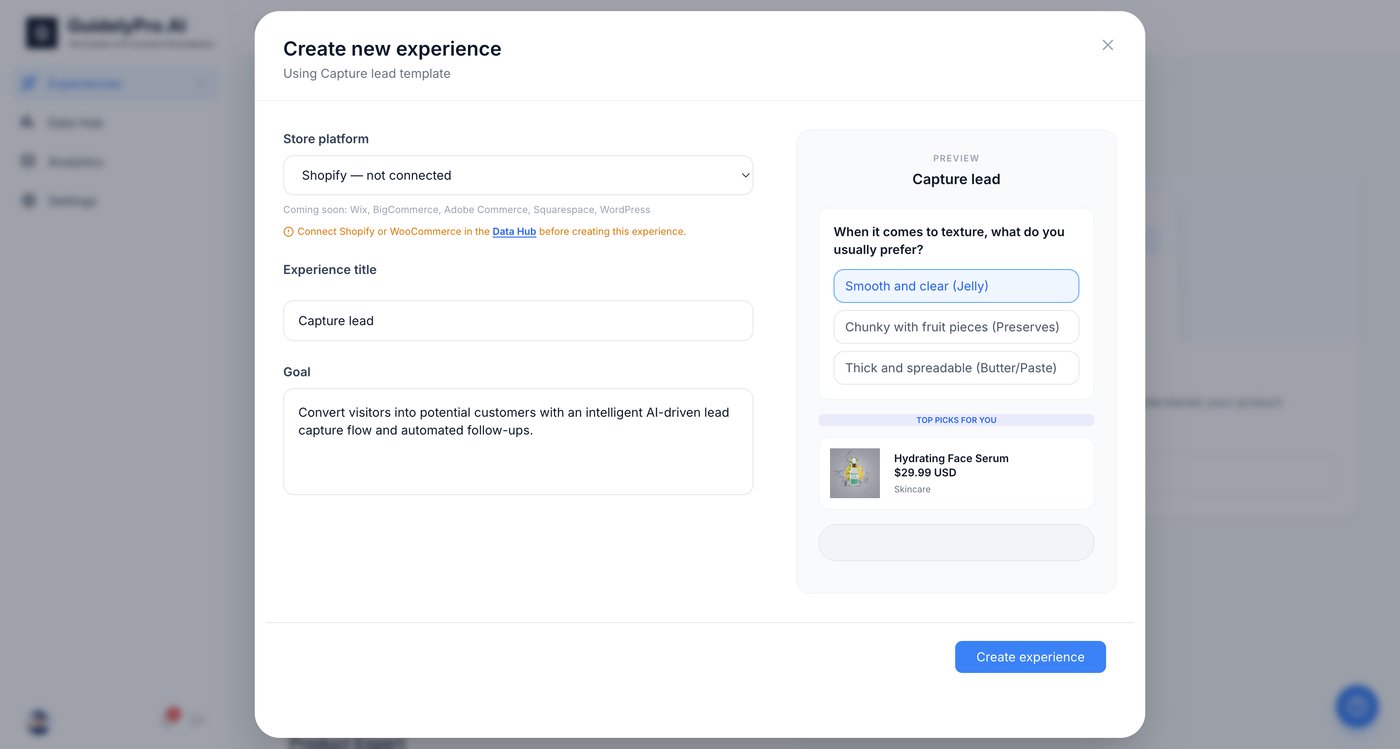
  <Step title="Select your platform">
    Select **Shopify** as your store platform to connect your e-commerce site.
    <Frame>
      <img src="https://mintcdn.com/guidelypro/bSWjtrugjhzAHBZq/images/step-02-1.jpg?fit=max&auto=format&n=bSWjtrugjhzAHBZq&q=85&s=df873f190d4d70ff8a019d14d51edca0" alt="Step 02 1" width="1400" height="749" data-path="images/step-02-1.jpg" />
    </Frame>
  </Step>
</Steps>

## Part 2 — Connect your Shopify store

<Steps>
  <Step title="Open the Data Hub">
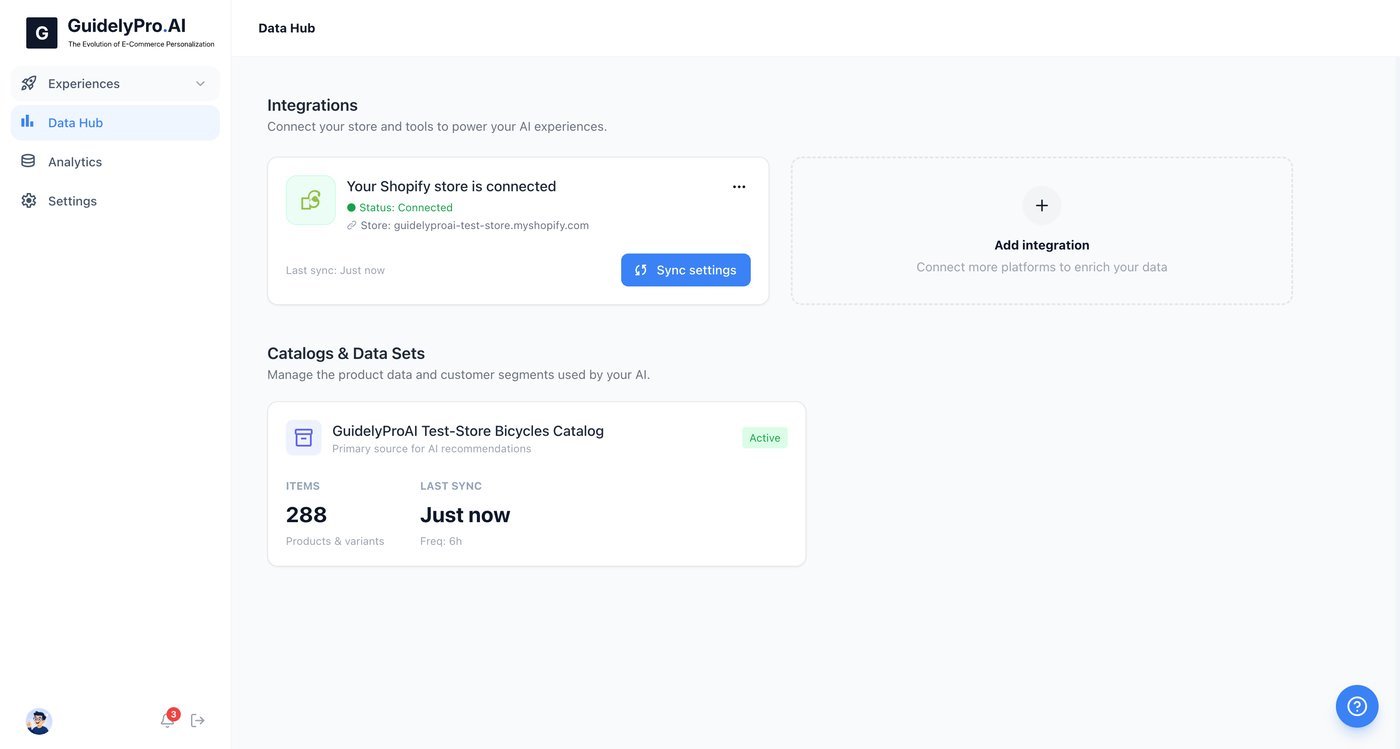
    Open the **Data Hub** to set up an integration before publishing your experience.
    <Frame>
      <img src="https://mintcdn.com/guidelypro/bSWjtrugjhzAHBZq/images/step-03-1.jpg?fit=max&auto=format&n=bSWjtrugjhzAHBZq&q=85&s=9fd1dc0c21cc5131d1dc242d65d49ad6" alt="Step 03 1" width="1400" height="749" data-path="images/step-03-1.jpg" />
    </Frame>
  </Step>

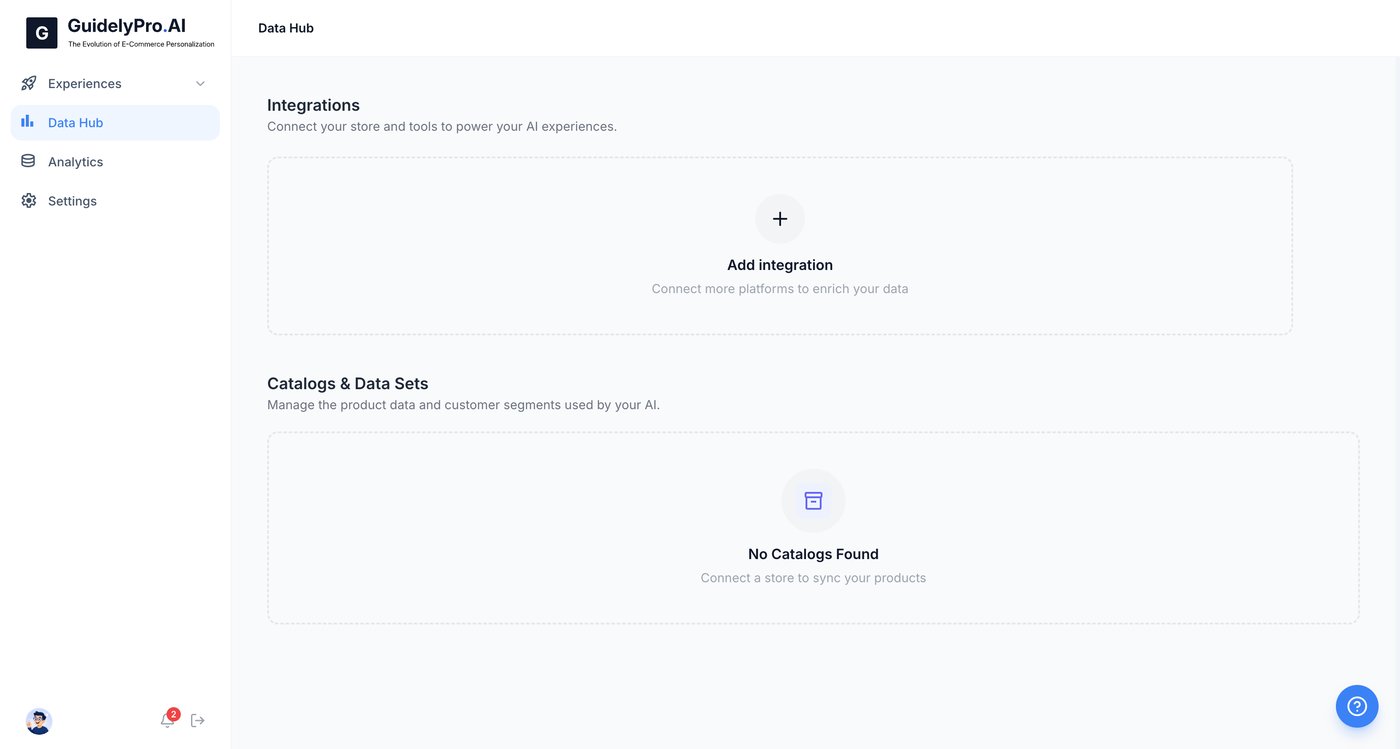
  <Step title="Add an integration">
    Click the **Add integration** icon to connect your store platform for data syncing.
    <Frame>
      <img src="https://mintcdn.com/guidelypro/bSWjtrugjhzAHBZq/images/step-04-1.jpg?fit=max&auto=format&n=bSWjtrugjhzAHBZq&q=85&s=0bb3c270fa54858bde715a1c8edb9dc1" alt="Step 04 1" width="1400" height="749" data-path="images/step-04-1.jpg" />
    </Frame>
  </Step>

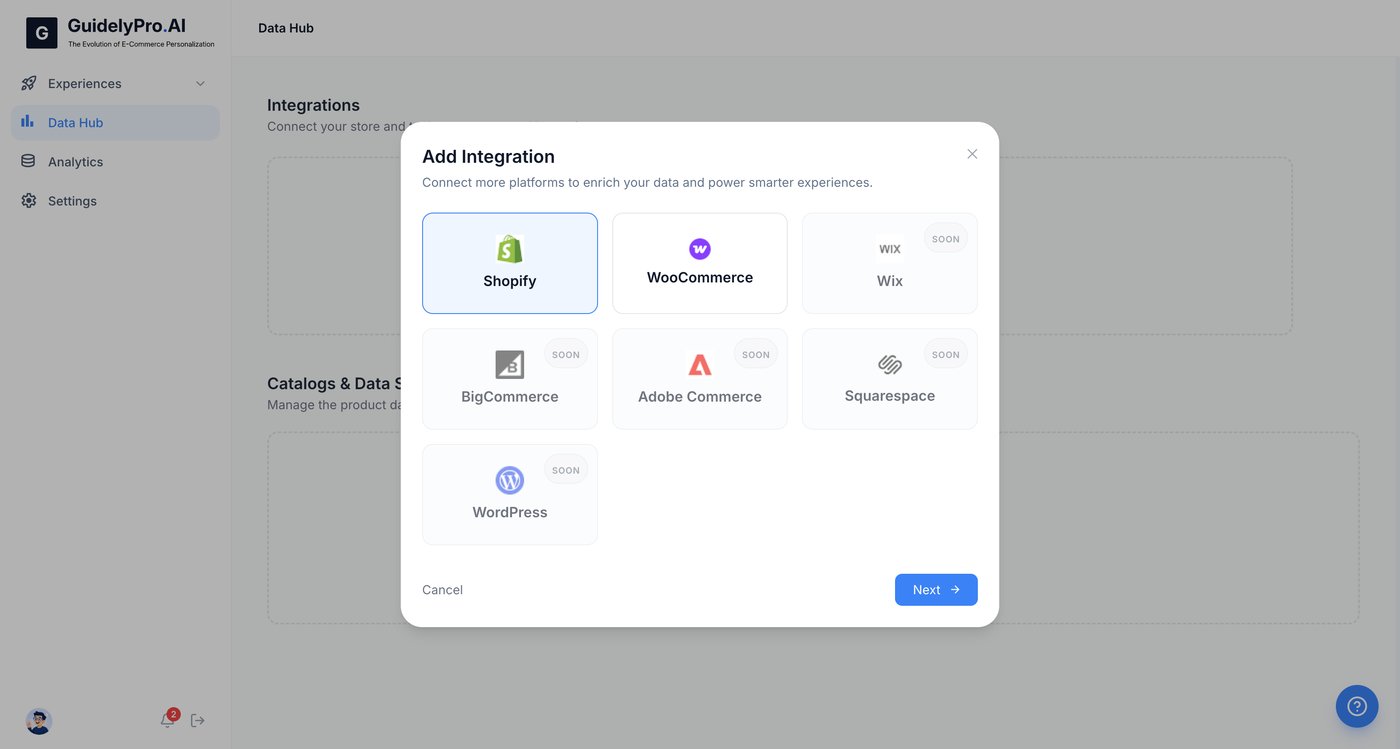
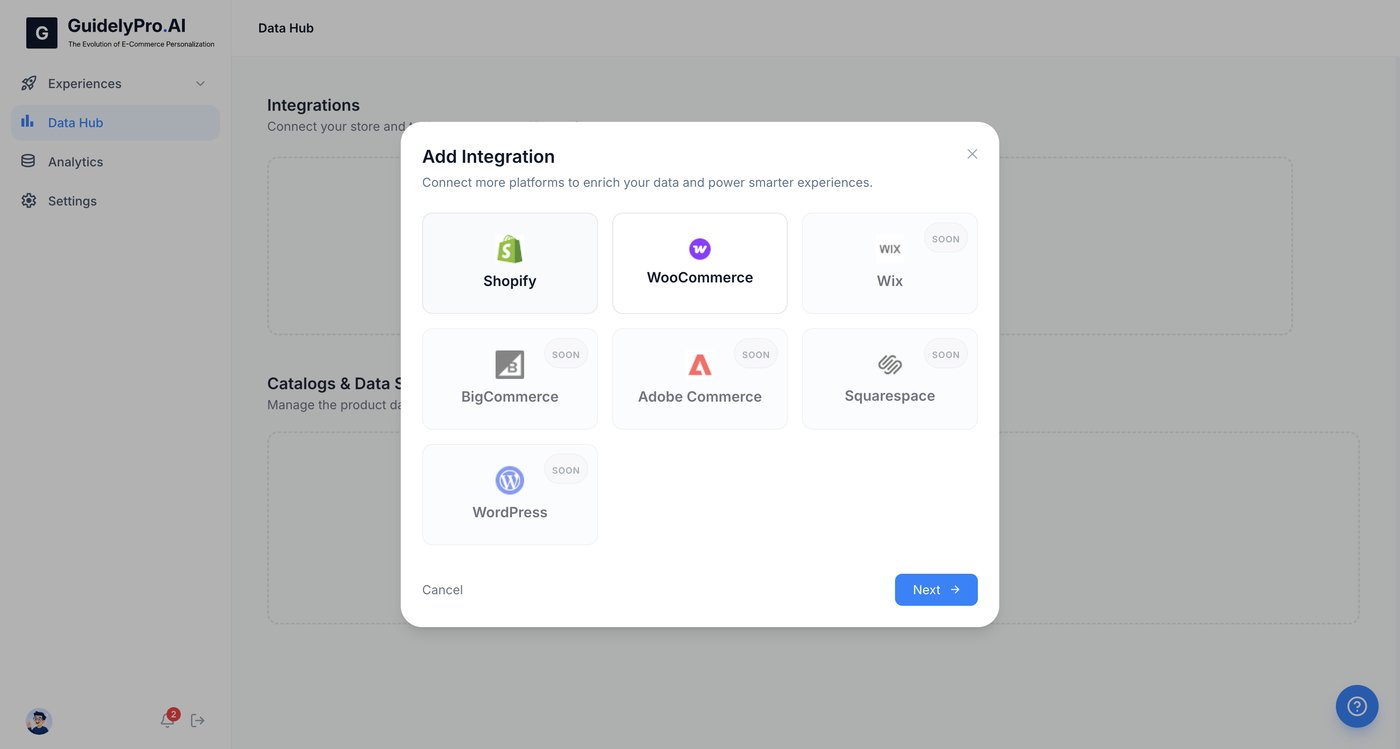
  <Step title="Choose Shopify">
    Choose **Shopify** to begin connecting your online store to the platform.
    <Frame>
      <img src="https://mintcdn.com/guidelypro/bSWjtrugjhzAHBZq/images/step-05-1.jpg?fit=max&auto=format&n=bSWjtrugjhzAHBZq&q=85&s=df7b9ca9b69474d878b5e140297eaa0c" alt="Step 06 1" width="1400" height="749" data-path="images/step-05-1.jpg" />
    </Frame>
  </Step>

  <Step title="Continue">
    Press **Next** to proceed.

    <Frame>
      <img src="https://mintcdn.com/guidelypro/bSWjtrugjhzAHBZq/images/step-06-2.jpg?fit=max&auto=format&n=bSWjtrugjhzAHBZq&q=85&s=bd6d3533ab070b3603ce85c74159490a" alt="Step 06 2" width="1400" height="749" data-path="images/step-06-2.jpg" />
    </Frame>
  </Step>

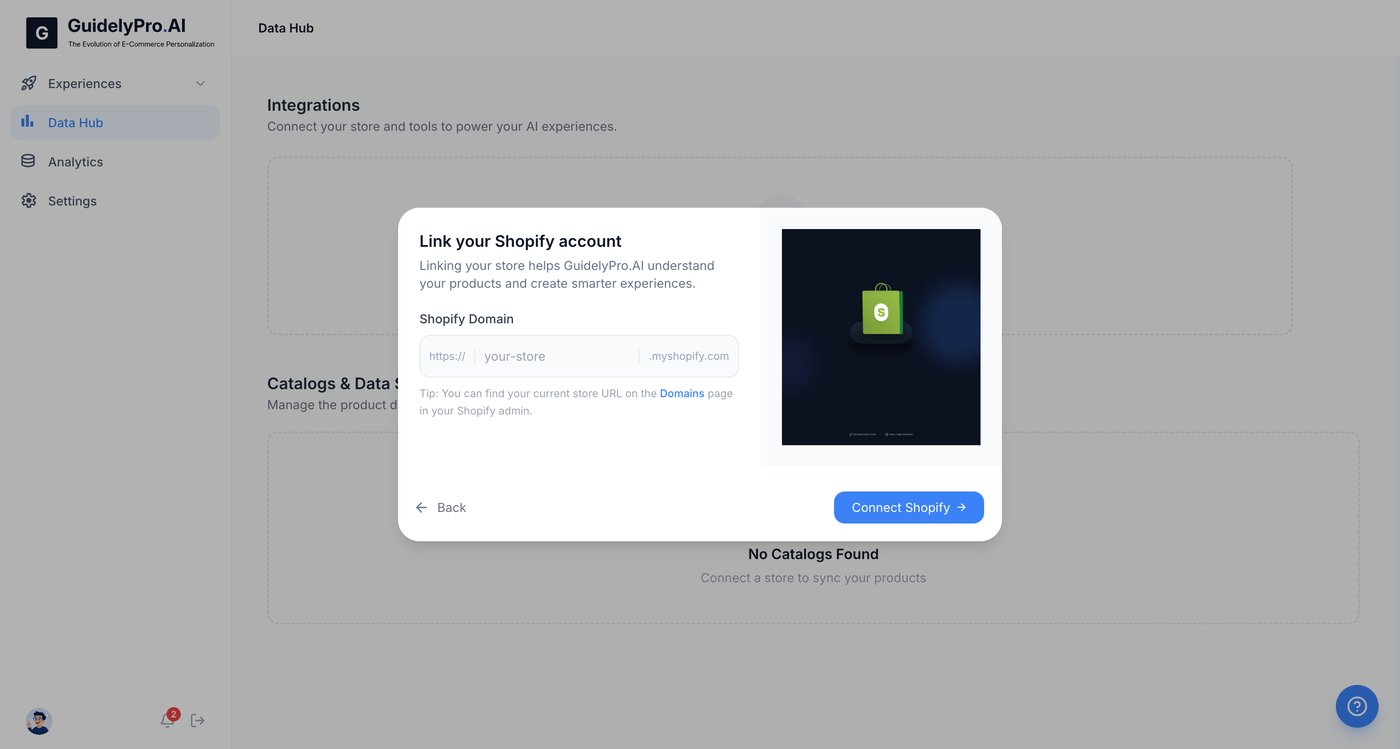
  <Step title="Enter your store URL">
    Enter your Shopify store URL in the input field to link your account.
    <Frame>
      <img src="https://mintcdn.com/guidelypro/bSWjtrugjhzAHBZq/images/step-07-1.jpg?fit=max&auto=format&n=bSWjtrugjhzAHBZq&q=85&s=fd1365630b4524653896b233b29875ef" alt="Step 07 1" width="1400" height="749" data-path="images/step-07-1.jpg" />
    </Frame>
  </Step>

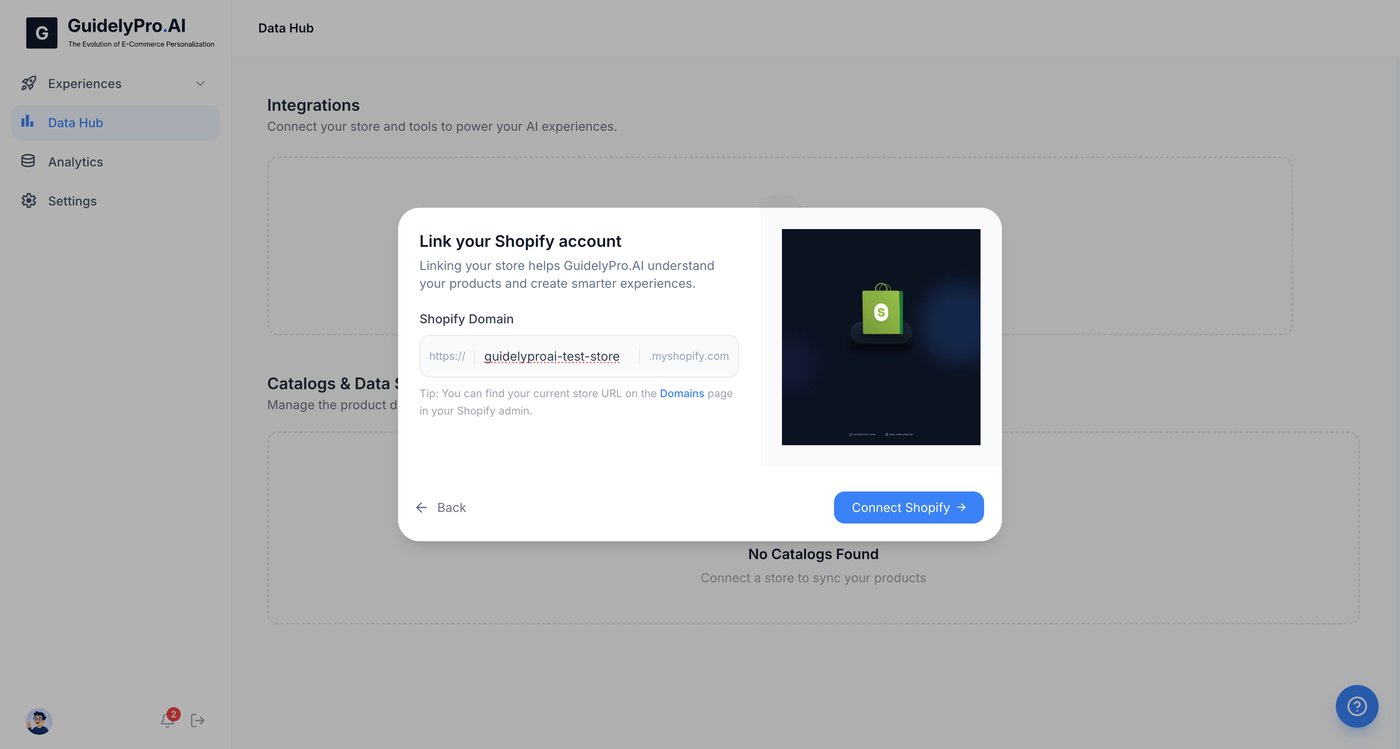
  <Step title="Authorize the connection">
    Click **Connect Shopify** to authorize the connection and allow data synchronization.
    <Frame>
      <img src="https://mintcdn.com/guidelypro/bSWjtrugjhzAHBZq/images/step-08-1.jpg?fit=max&auto=format&n=bSWjtrugjhzAHBZq&q=85&s=e3af5d52ea1778de8aa1de570b8202e9" alt="Step 08 1" width="1400" height="749" data-path="images/step-08-1.jpg" />
    </Frame>
  </Step>

  <Step title="Finalize the integration">
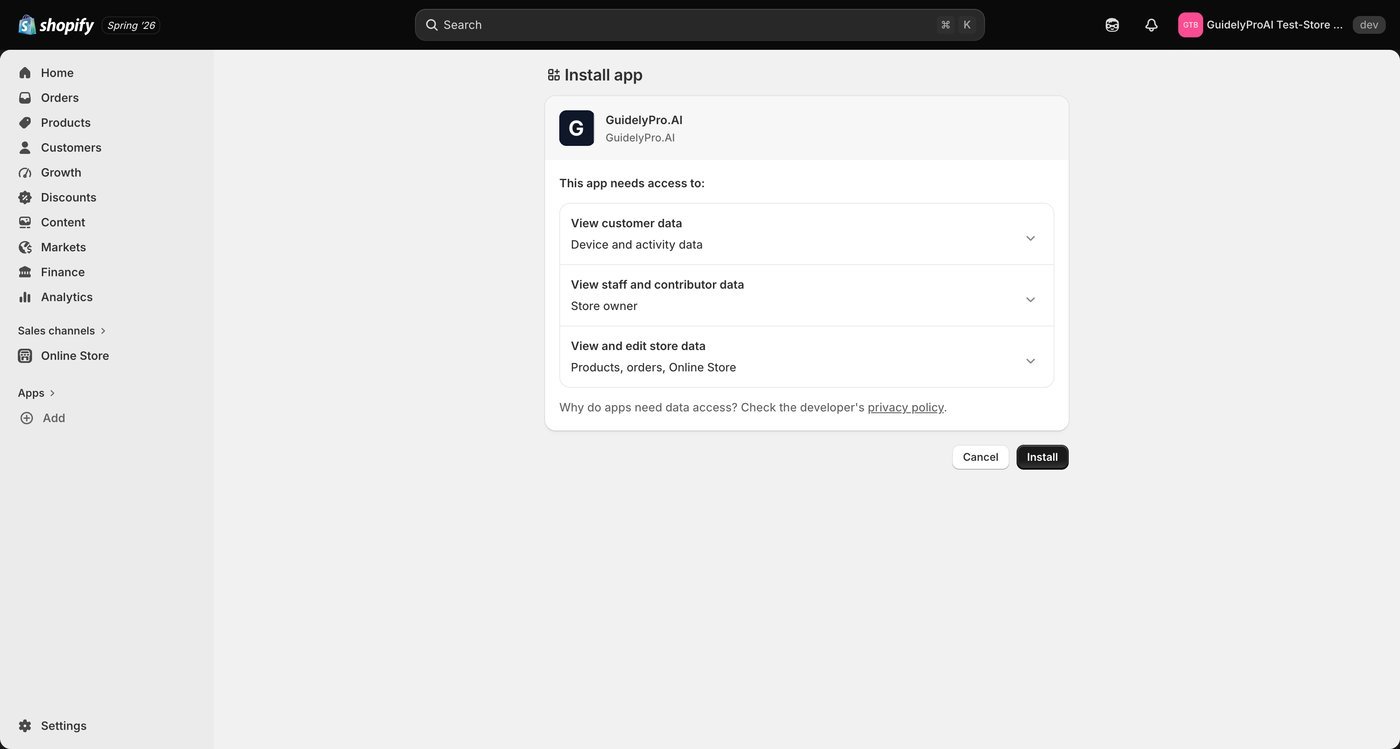
    Hit **Install** to grant permissions and finalize the Shopify integration.
    <Frame>
      <img src="https://mintcdn.com/guidelypro/bSWjtrugjhzAHBZq/images/step-09-1.jpg?fit=max&auto=format&n=bSWjtrugjhzAHBZq&q=85&s=b0807095fce23fd1f361aebb85f2ff7d" alt="Step 09 1" width="1400" height="749" data-path="images/step-09-1.jpg" />
    </Frame>
  </Step>
</Steps>

<Tip>
  The integration syncs your product catalog automatically. Your lead capture experience recommends real products from your store — no manual uploads, no stale data.
</Tip>

## Part 3 — Create the experience

<Steps>
  <Step title="Go to Experiences">
    Navigate to **Experiences** to manage your experiences.
    <Frame>
      <img src="https://mintcdn.com/guidelypro/bSWjtrugjhzAHBZq/images/step-10.jpg?fit=max&auto=format&n=bSWjtrugjhzAHBZq&q=85&s=eab5f62618690f5362c911d513bc3f8e" alt="Step 10" width="1400" height="749" data-path="images/step-10.jpg" />
    </Frame>
  </Step>

  <Step title="Check the dashboard">
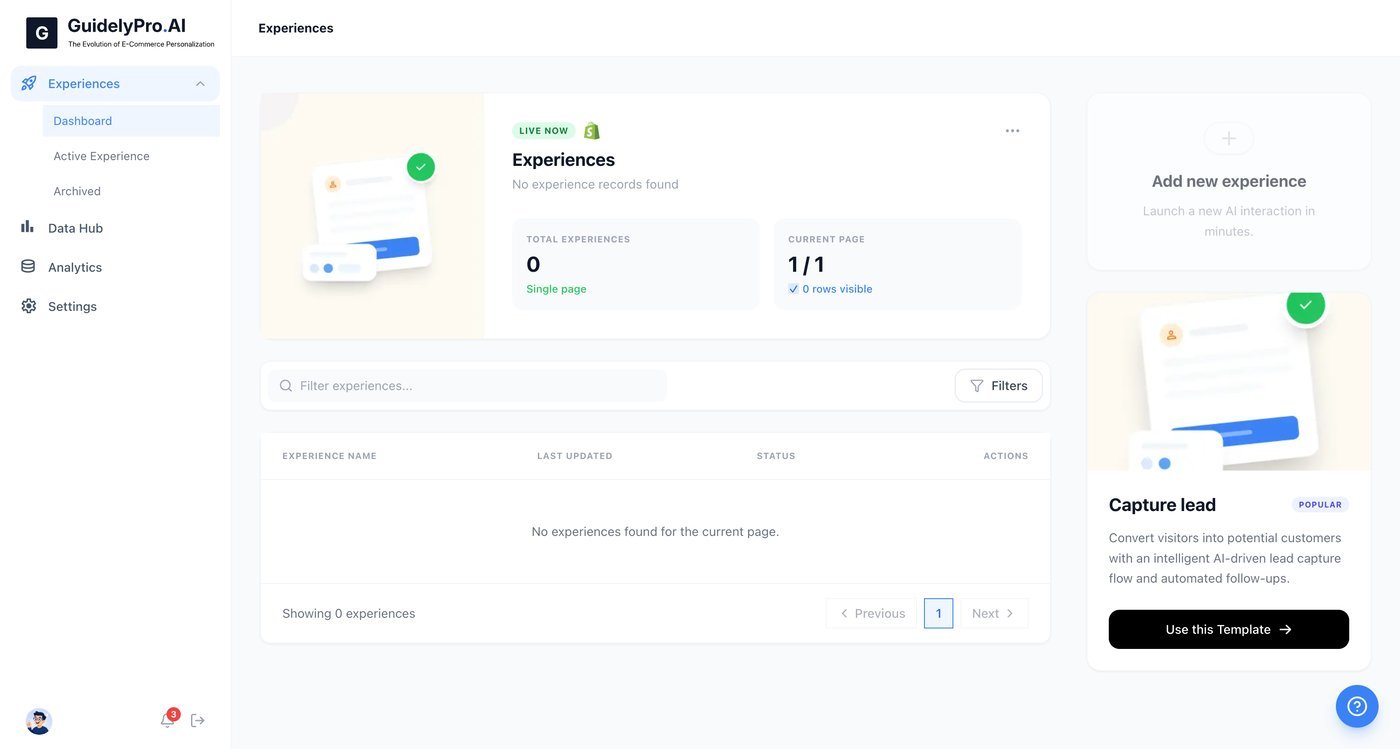
    Go to the dashboard to see an overview of your integrations and active product catalog.
    <Frame>
      <img src="https://mintcdn.com/guidelypro/bSWjtrugjhzAHBZq/images/step-12-1.jpg?fit=max&auto=format&n=bSWjtrugjhzAHBZq&q=85&s=ba69068921f44d6a2a0520e1abe2df1c" alt="Step 12 1" width="1400" height="749" data-path="images/step-12-1.jpg" />
    </Frame>
  </Step>

  <Step title="Launch the template">
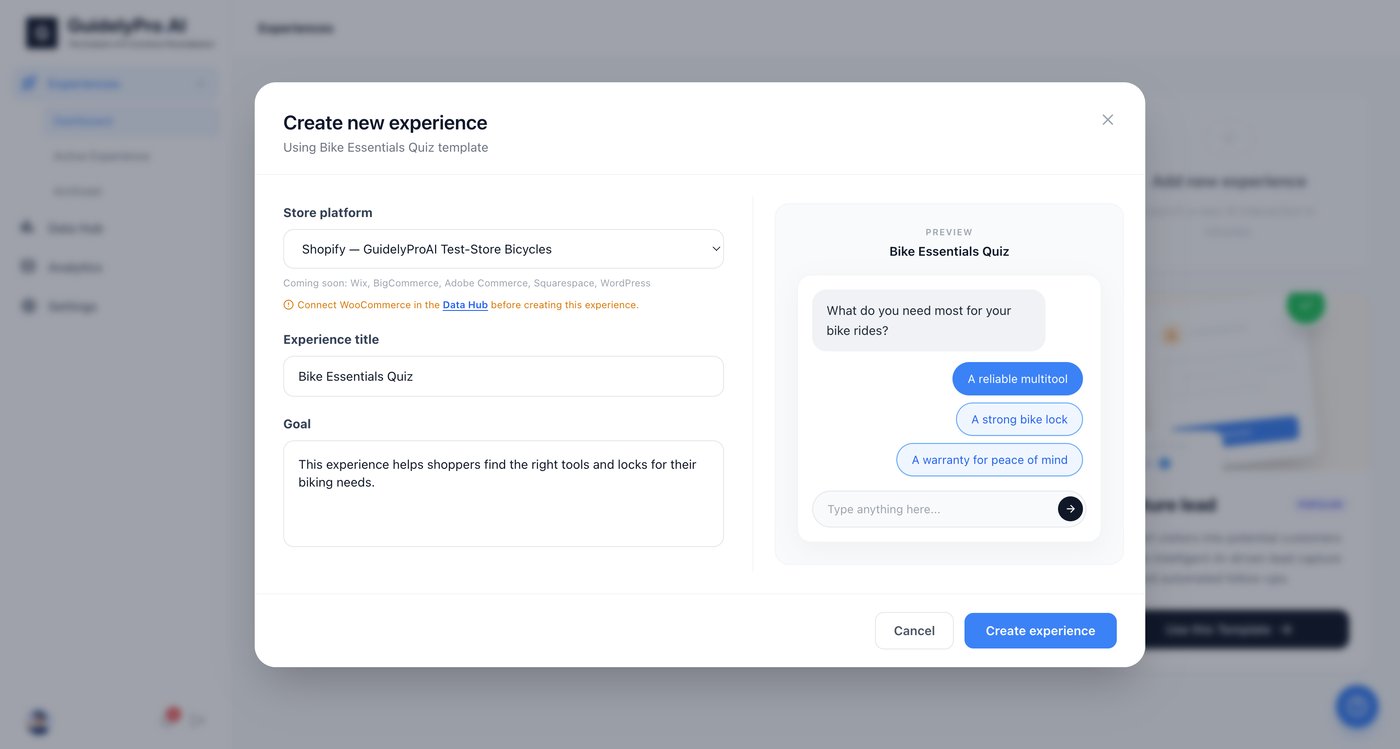
    Click **Use this Template** under **Capture lead** to launch a new experience.
    <Frame>
      <img src="https://mintcdn.com/guidelypro/bSWjtrugjhzAHBZq/images/step-13-1.jpg?fit=max&auto=format&n=bSWjtrugjhzAHBZq&q=85&s=f5aa31574e93f3a9456627fb70a6d197" alt="Step 13 1" width="1400" height="749" data-path="images/step-13-1.jpg" />
    </Frame>
  </Step>

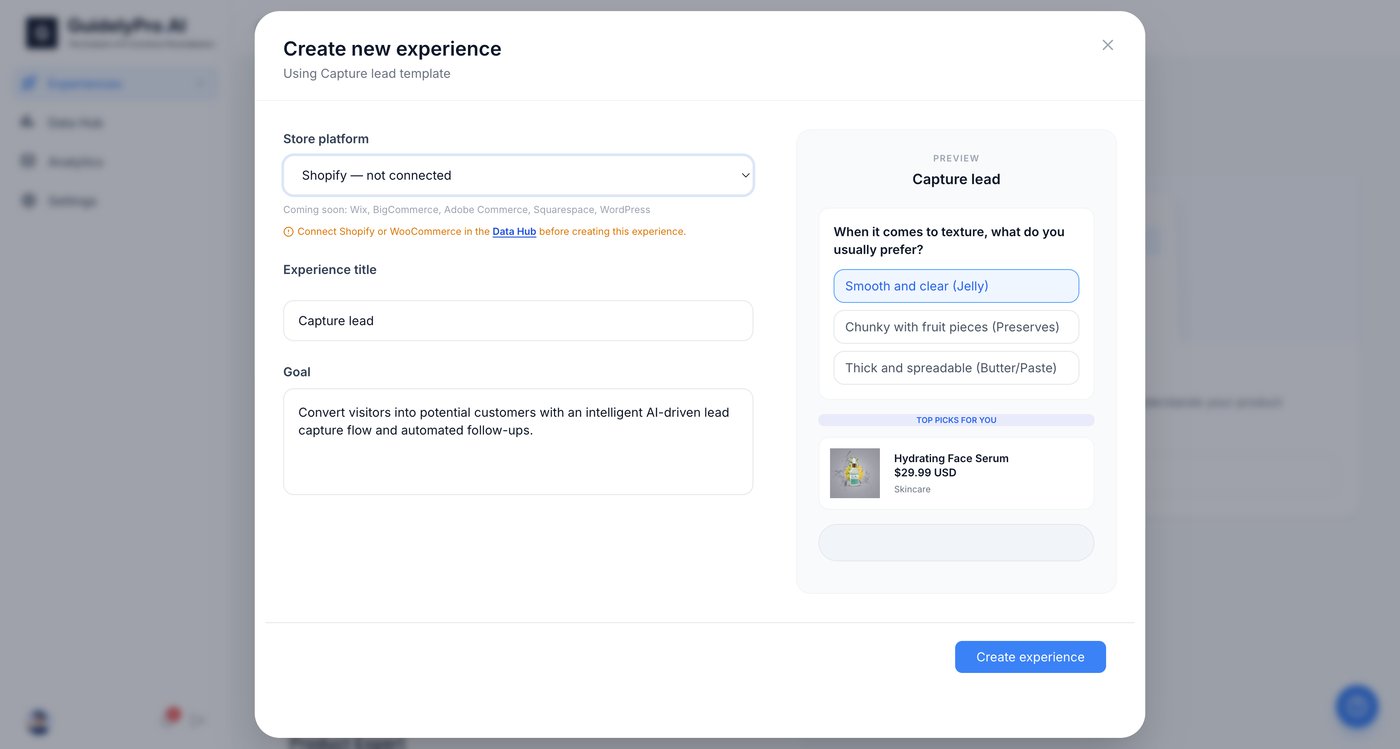
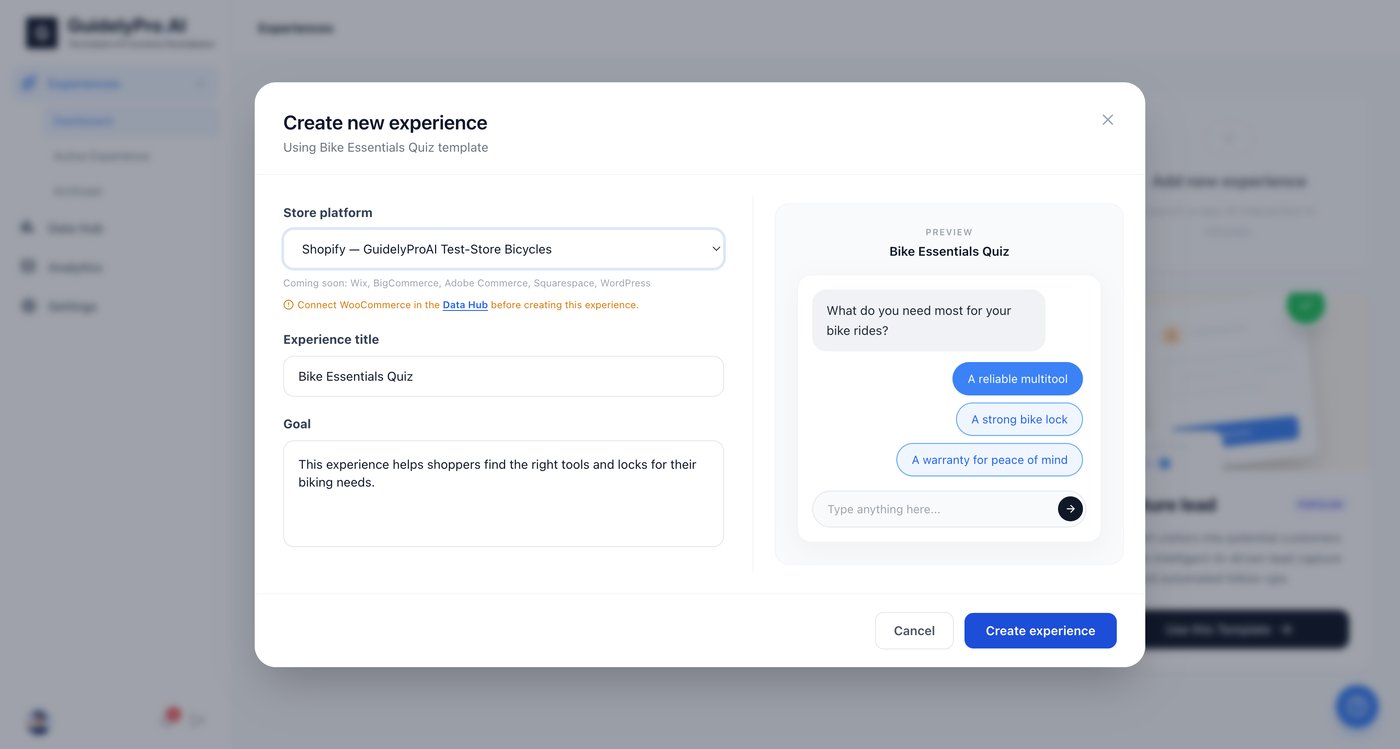
  <Step title="Select your store">
    Confirm or select your connected Shopify store from the dropdown before proceeding.
    <Frame>
      <img src="https://mintcdn.com/guidelypro/bSWjtrugjhzAHBZq/images/step-14-1.jpg?fit=max&auto=format&n=bSWjtrugjhzAHBZq&q=85&s=4c8d43f562a3c67e7c4a7e838533adac" alt="Step 14 1" width="1400" height="749" data-path="images/step-14-1.jpg" />
    </Frame>
  </Step>

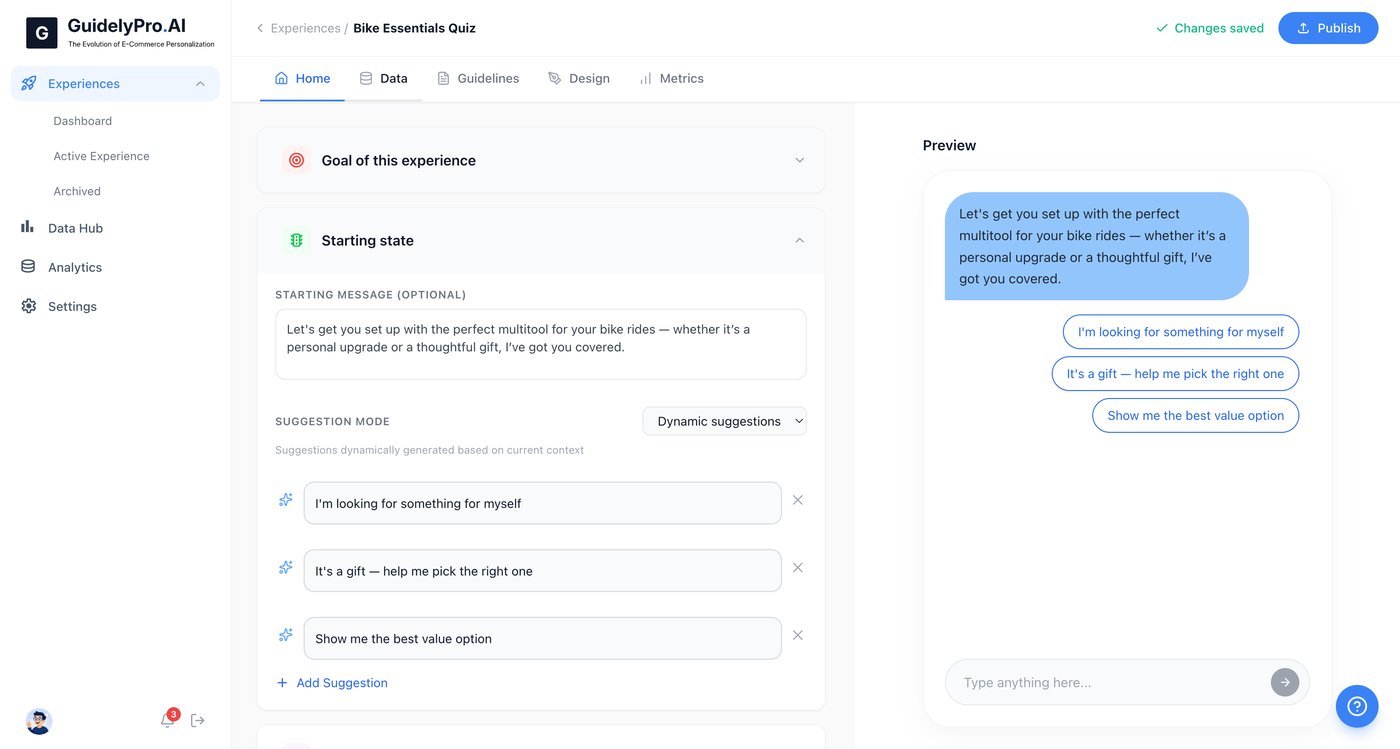
  <Step title="Create the experience">
    Click **Create experience** to generate your personalized lead capture experience.
    <Frame>
      <img src="https://mintcdn.com/guidelypro/bSWjtrugjhzAHBZq/images/step-15.jpg?fit=max&auto=format&n=bSWjtrugjhzAHBZq&q=85&s=6dc62c1450c40f1cda1fa16ddaec1d22" alt="Step 15" width="1400" height="749" data-path="images/step-15.jpg" />
    </Frame>
  </Step>
</Steps>

## Part 4 — Customize and publish

<Steps>
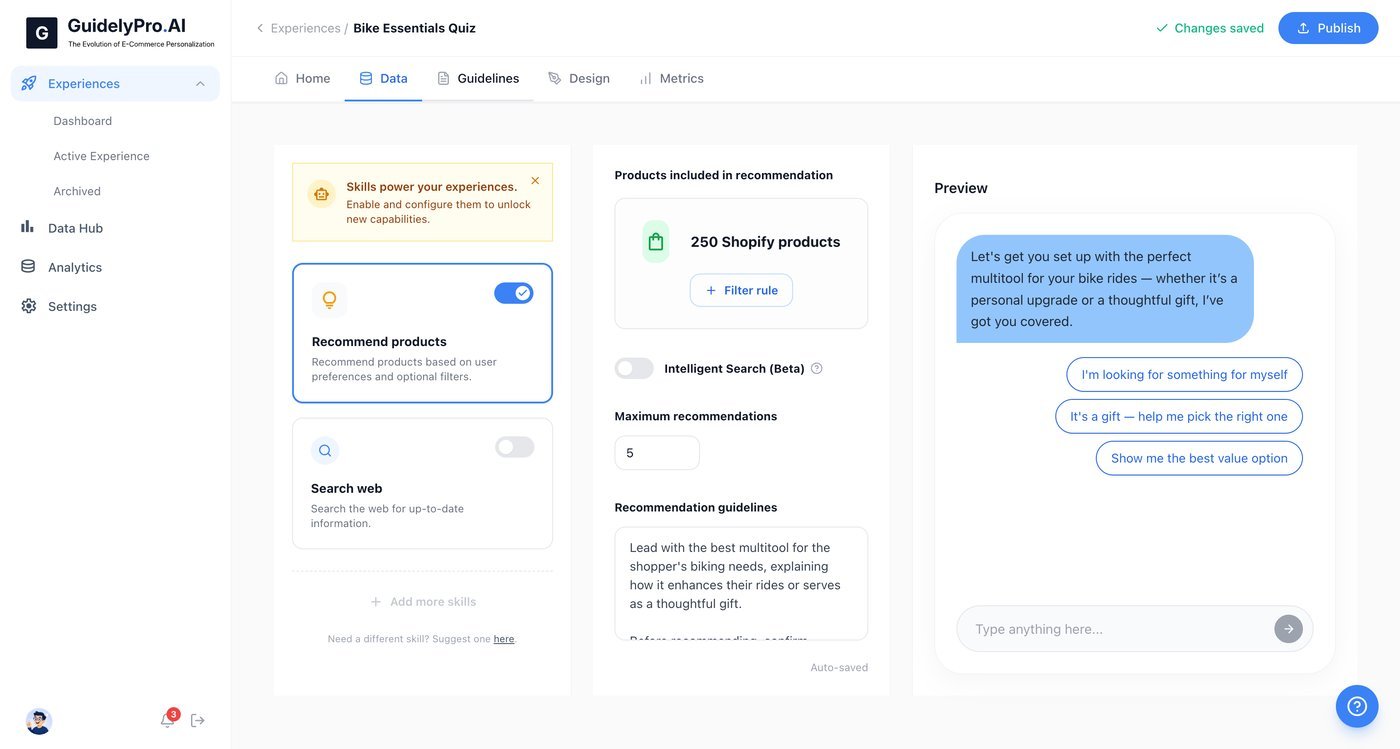
  <Step title="Review your data">
    Open the **Data** tab to manage or review data and input fields.
    <Frame>
      <img src="https://mintcdn.com/guidelypro/bSWjtrugjhzAHBZq/images/step-16-1.jpg?fit=max&auto=format&n=bSWjtrugjhzAHBZq&q=85&s=d497a9e3204158e26d9972c90a235ec9" alt="Step 16 1" width="1400" height="749" data-path="images/step-16-1.jpg" />
    </Frame>
  </Step>

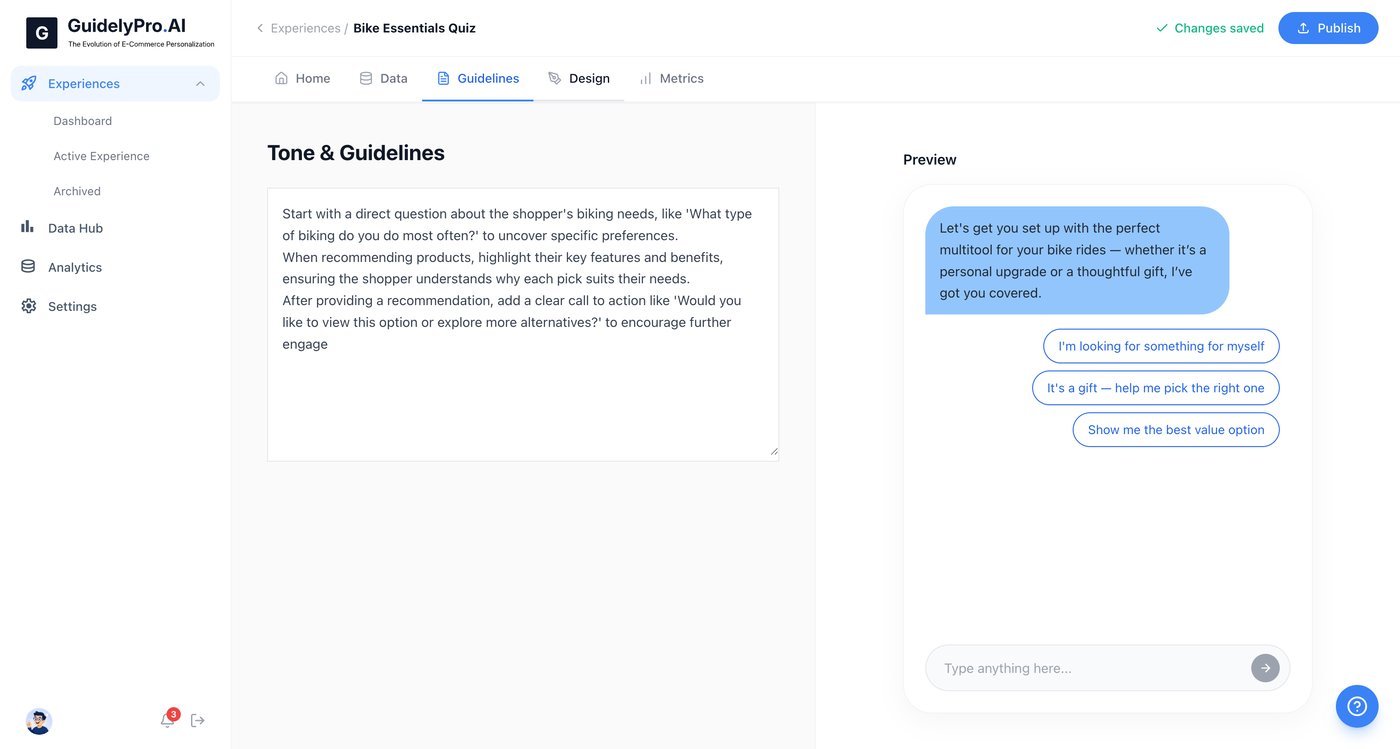
  <Step title="Set the guidelines">
    Visit the **Guidelines** tab to customize the recommendation logic and rules for your experience.
    <Frame>
      <img src="https://mintcdn.com/guidelypro/bSWjtrugjhzAHBZq/images/step-17-1.jpg?fit=max&auto=format&n=bSWjtrugjhzAHBZq&q=85&s=2461906a7532082743928ad4a06c3774" alt="Step 17 1" width="1400" height="749" data-path="images/step-17-1.jpg" />
    </Frame>
  </Step>

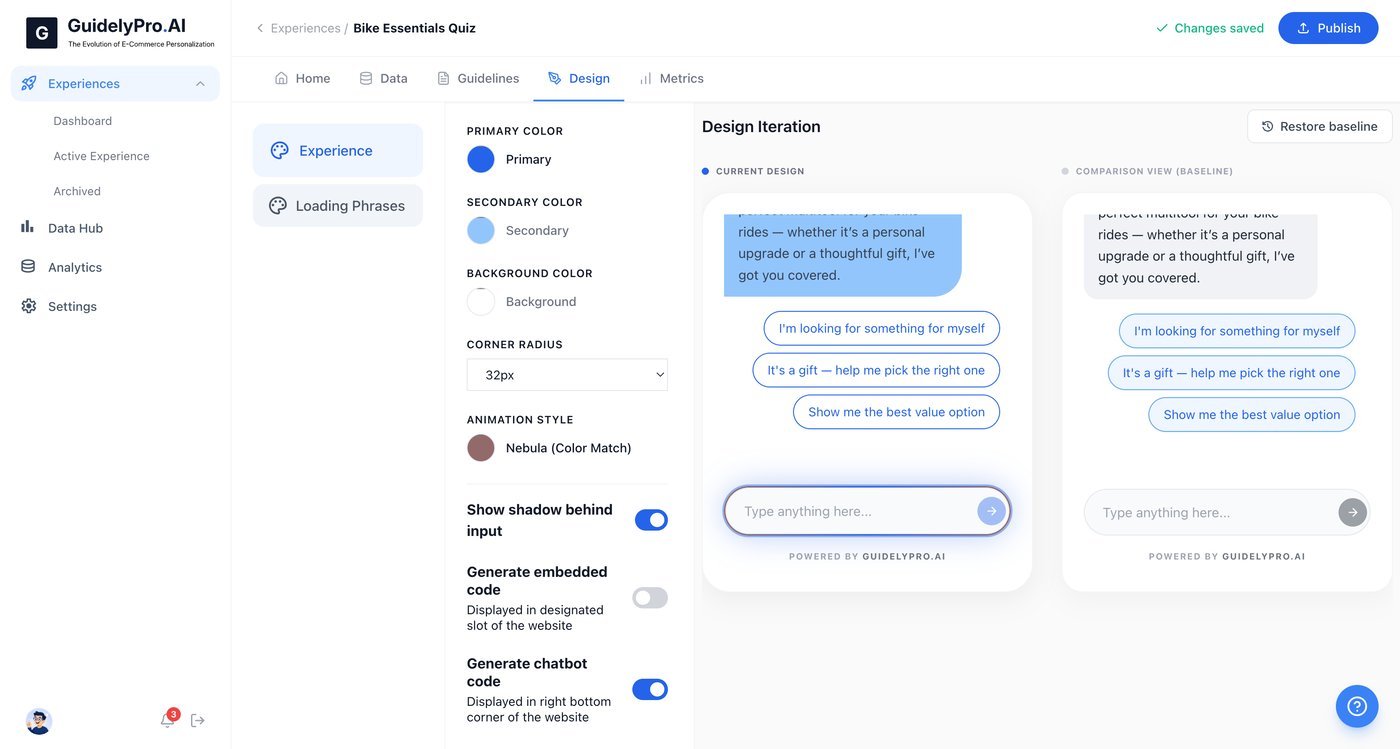
  <Step title="Match your brand">
    Access the **Design** tab to personalize the interface — colors, style, and brand.
    <Frame>
      <img src="https://mintcdn.com/guidelypro/bSWjtrugjhzAHBZq/images/step-18-1.jpg?fit=max&auto=format&n=bSWjtrugjhzAHBZq&q=85&s=9d60b25db214f20944af456262d9aa6a" alt="Step 18 1" width="1400" height="749" data-path="images/step-18-1.jpg" />
    </Frame>
  </Step>

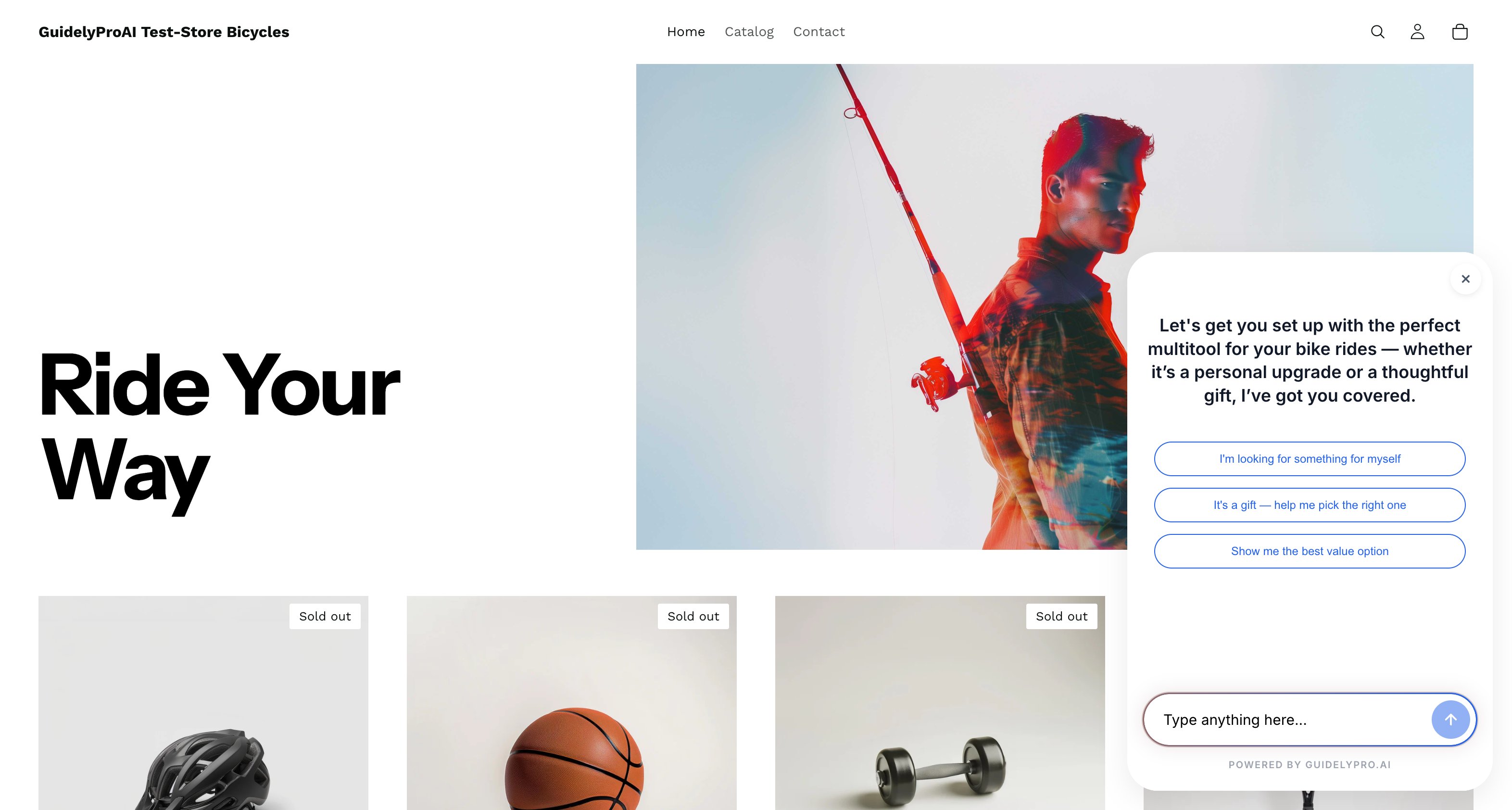
  <Step title="Publish">
    Click **Publish** to make your experience live on your Shopify store.
    <Frame>
      <img src="https://mintcdn.com/guidelypro/bSWjtrugjhzAHBZq/images/image-qgLFg0tkXCFfht3EZyW5.png?fit=max&auto=format&n=bSWjtrugjhzAHBZq&q=85&s=85d99af789a70694e2f0f2210ce9a327" alt="Image Qg L Fg0tk XC Ffht3e Zy W5" width="3144" height="1684" data-path="images/image-qgLFg0tkXCFfht3EZyW5.png" />
    </Frame>
  </Step>
</Steps>

## That's it

Visitors who aren't ready to buy are no longer lost traffic — they're captured leads, guided by an experience built on your real product catalog. Ready to get started? Try it yourself.