> ## Documentation Index
> Fetch the complete documentation index at: https://docs.guidelypro.ai/llms.txt
> Use this file to discover all available pages before exploring further.
# Data
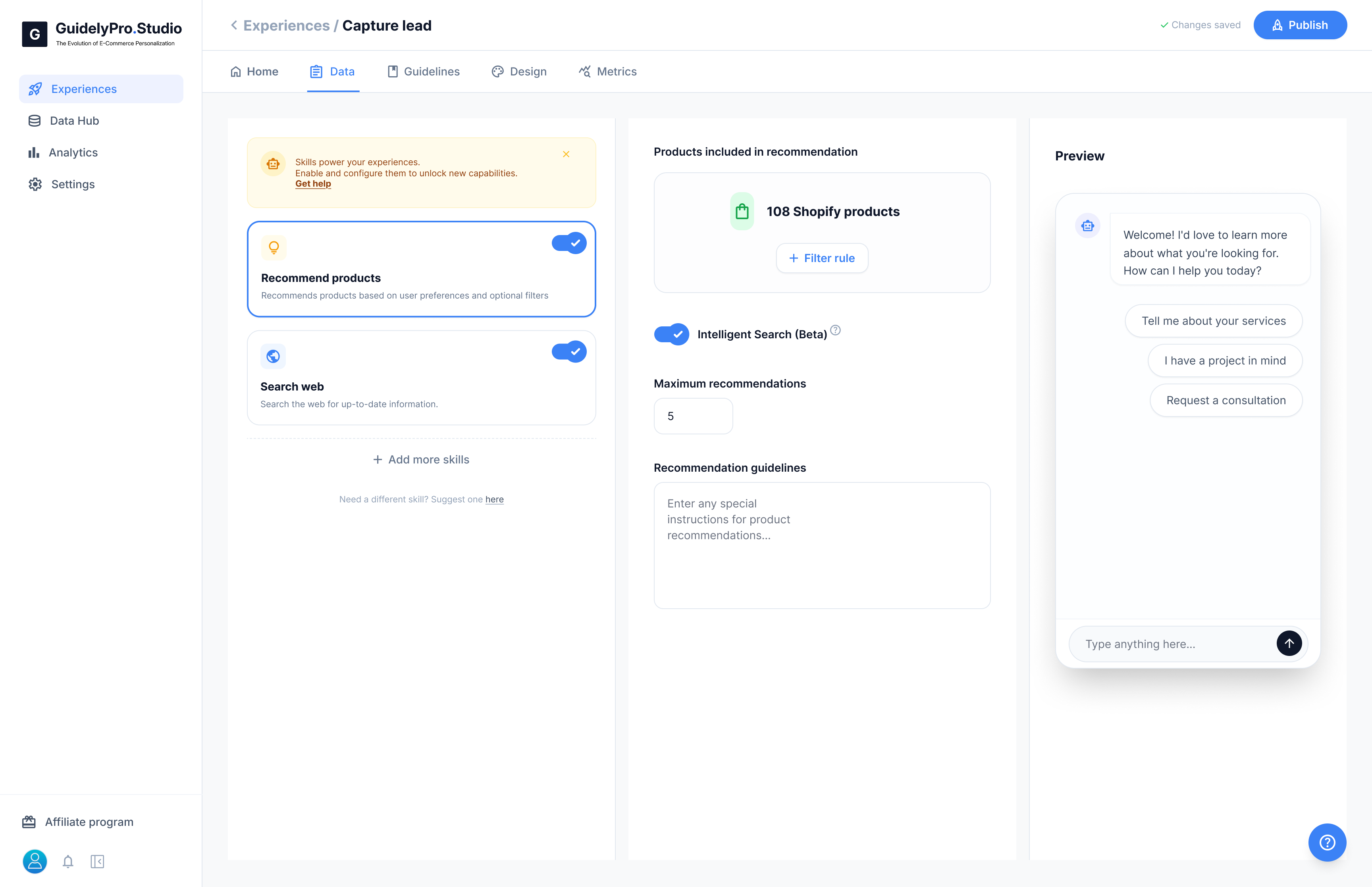
The **Data** tab controls what your Experience is allowed to use and how product recommendations are generated.
This is where you activate capabilities and define the logic behind recommendations.
 ***
### 🛍 Products Included in Recommendation
This section defines which Shopify products your Experience can recommend.
You can:
* View the number of synced products
* Apply **filter rules** to limit recommendations\
(e.g., specific collections, tags, categories)
This ensures only relevant products are considered.
***
### 🔎 Intelligent Search (Beta)
When enabled, Intelligent Search improves how products are matched to user responses.
It allows the AI to:
* Better understand intent
* Match preferences more accurately
* Surface more relevant results
***
### 🔢 Maximum Recommendations
Set how many products the AI can recommend at once.
For example:
* 1–3 for focused decisions
* 4–5 for comparison scenarios
Fewer options often improve conversion clarity.
***
### 📝 Recommendation Guidelines
Add optional instructions that guide how products should be recommended.
Examples:
* Prioritize bestsellers
* Highlight premium options first
* Focus on entry-level products
This gives you strategic control over recommendation behavior.
***
The **Data tab** defines what your AI can access and how intelligently it selects products during conversations.
***
### 🛍 Products Included in Recommendation
This section defines which Shopify products your Experience can recommend.
You can:
* View the number of synced products
* Apply **filter rules** to limit recommendations\
(e.g., specific collections, tags, categories)
This ensures only relevant products are considered.
***
### 🔎 Intelligent Search (Beta)
When enabled, Intelligent Search improves how products are matched to user responses.
It allows the AI to:
* Better understand intent
* Match preferences more accurately
* Surface more relevant results
***
### 🔢 Maximum Recommendations
Set how many products the AI can recommend at once.
For example:
* 1–3 for focused decisions
* 4–5 for comparison scenarios
Fewer options often improve conversion clarity.
***
### 📝 Recommendation Guidelines
Add optional instructions that guide how products should be recommended.
Examples:
* Prioritize bestsellers
* Highlight premium options first
* Focus on entry-level products
This gives you strategic control over recommendation behavior.
***
The **Data tab** defines what your AI can access and how intelligently it selects products during conversations.